Designing a Headless Video Rendering Pipeline
A video rendering pipeline ran headless, end to end, for $0 in this benchmark: a local, no-account Editframe render of the same template finished at that price, though the vendor's own pricing page lists two paid tiers this run never touched.
The question, and the number that answers it
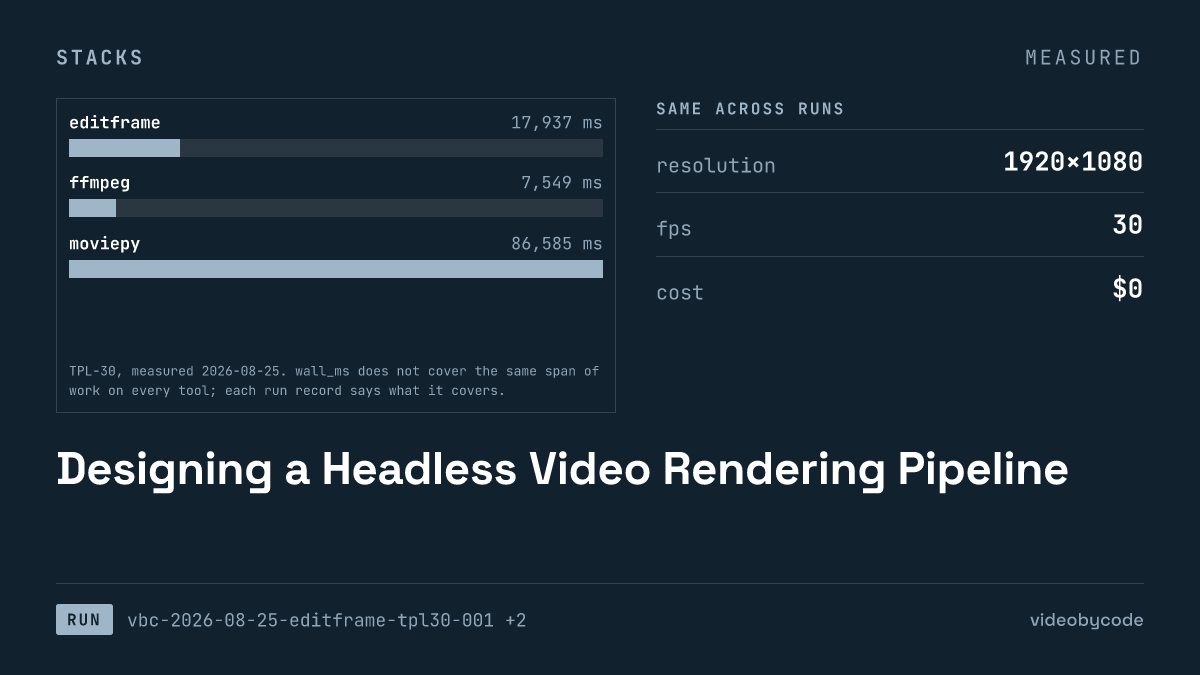
A local, no-account Editframe render of the TPL-30 video template finished in 17.9 s and wrote a 1.46 MB file, all of it on the free tier at $0. Editframe's own pricing page also lists a Team plan at $49 per month and a Cloud plan at $99 per month, and this run never touched either one. That gap between what the run actually cost and what the vendor sells marks where the free, local path stops covering a video rendering pipeline that fills the same template over and over, and what the next tier buys once it does.
TPL-30 is a fixed, three-scene video template: a title card from 0 s to 5 s, a body scene with a still image and a caption bar from 5 s to 25 s, and an outro from 25 s to 30 s. Every tool renders the same inputs at 1920x1080, 30 fps fps, CRF 20, with AAC audio at 192 kbps kbps and 48000 Hz. Four tools ran this video rendering pipeline end to end and headless: Editframe, a browser-based render-template API; FFmpeg, a command-line encoder; MoviePy, a Python compositing library; and Remotion, a React-based rendering framework. All four turn structured input into a finished MP4 without a human touching a timeline. The records below report what each one actually cost, in wall time and in dollars, to do it once.
The four tools behind this video rendering pipeline also sit in different account categories on the vendor side. FFmpeg and MoviePy are listed as open-source tools with no tier structure at all. Editframe is a hosted product with a free tier attached to a paid product line. Remotion is an open-source framework whose free use is bounded by company headcount rather than by a subscription. None of that shows up in a wall-clock number. It shapes what each tool's zero-dollar figure actually means, and it is why the rest of this article treats "free" as four different arrangements rather than one.
What the self-hosted side costs to run
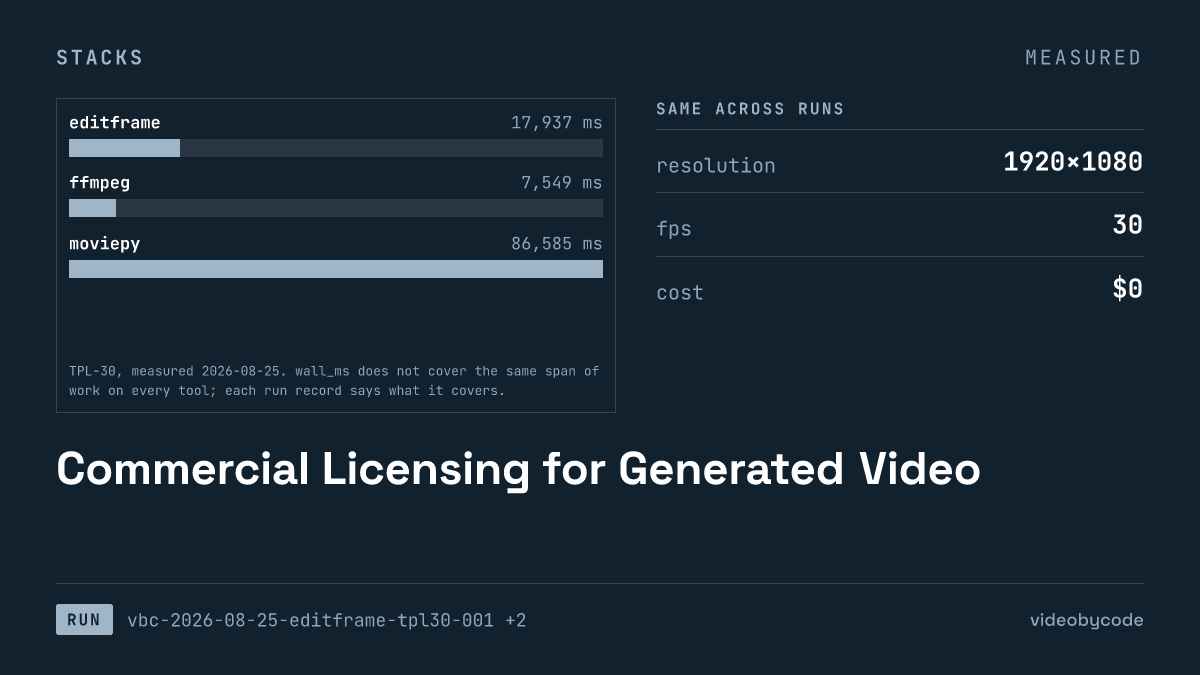
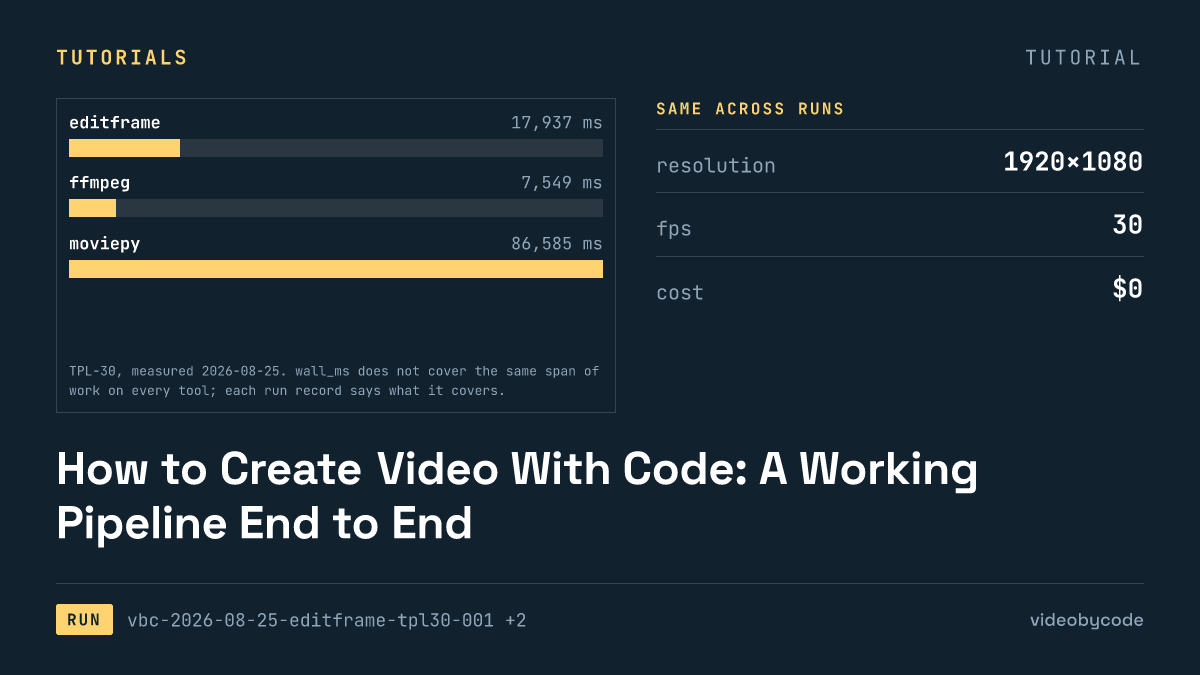
The self-hosted numbers differ sharply between tools, and the reason is what each wall-clock figure actually contains, not raw encode speed. The Editframe run took 17.9 s end to end, and its own notes state what that span covers: Vite dev server startup, a system Chrome launch through Playwright, frame-by-frame capture, and a WebCodecs encode. That is the same category of span the Remotion run reports too: webpack bundling, headless Chromium launch, frame capture, and encode. Neither figure is comparable to a bare encoder call without saying so.
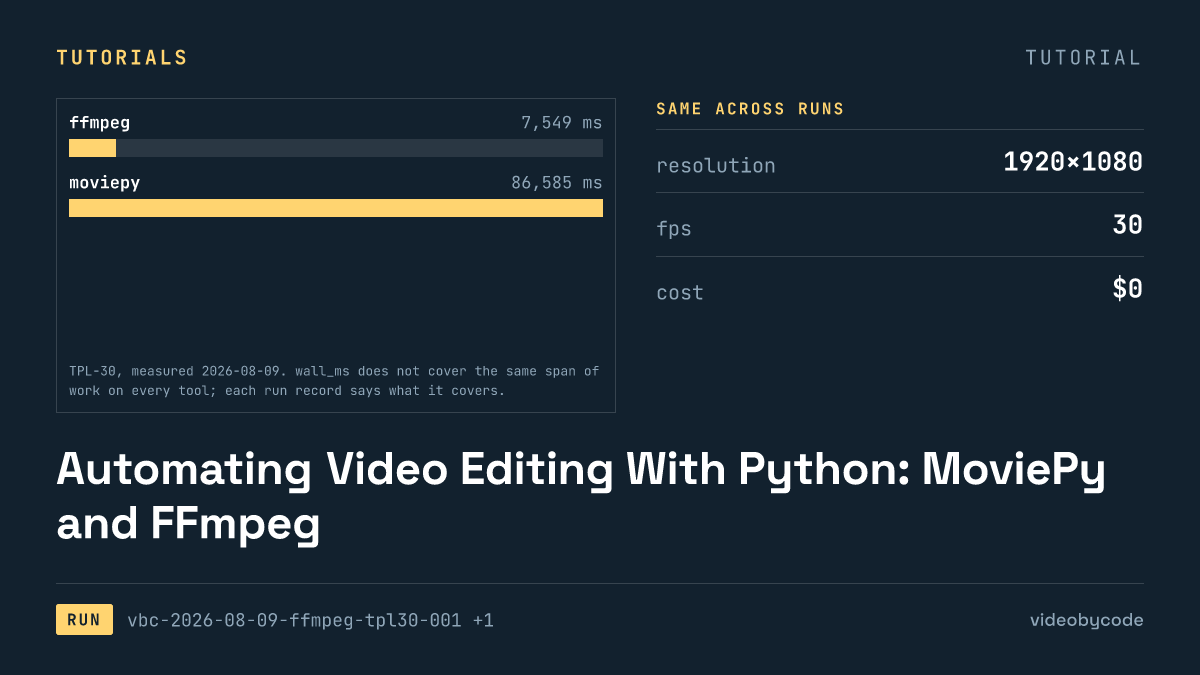
FFmpeg's run is close to a bare encoder call: a single-pass filter graph over the pre-rasterised PNGs. MoviePy sits at the far end: it composites frames in Python before handing raw frames to the same system ffmpeg binary the FFmpeg run used, and interpreter start-up plus Python-side compositing account for most of the gap. None of the four wall-clock figures include text shaping. The ffmpeg build on the measuring machine, Homebrew ffmpeg 8.0.1_4 on arm64, has no libfreetype and therefore no drawtext filter, so a preprocessing pass rasterised all three text strings into transparent PNGs once, ahead of time, and every tool composited the same images. That levels the text cost across tools. It also means none of these numbers describe a pipeline that renders live, dynamic captions.
| Tool | Version | Wall time | Output size | Measured duration |
|---|---|---|---|---|
| FFmpeg | ffmpeg 8.0.1 (libx264, aac; libfreetype=no) | 7.5 s | 0.99 MB | 30.000 s |
| Editframe | @editframe/cli 0.59.40 / @editframe/elements 0.59.40 / vite 8.2.2 / node v25.6.1 / Google Chrome 152.0.7977.55 | 17.9 s | 1.46 MB | 30.080 s |
| Remotion | remotion 4.0.507 / @remotion/cli 4.0.507 / node v25.6.1 | 18.2 s | 1.50 MB | 30.059 s |
| MoviePy | moviepy dist=2.2.1 __version__=2.1.2 / python 3.14.3 / numpy 2.5.1 / pillow 11.3.0 | 86.6 s | 1.01 MB | 30.000 s |
Sourcevideobycode verification runs vbc-2026-08-09-ffmpeg-tpl30-001, vbc-2026-08-25-editframe-tpl30-001, vbc-2026-08-09-remotion-tpl30-001, vbc-2026-08-09-moviepy-tpl30-001, measured 2026-08-09 and 2026-08-25
Sourcevideobycode verification runs(measured 2026-08-09 and 2026-08-25)
Two of the four durations land past the target the benchmark defines. FFmpeg and MoviePy both produced output at exactly the target duration. Editframe and Remotion drifted past it instead, by a fraction of a second in each case, according to their own run records. Neither run's notes attribute the drift to a dropped frame or a missing asset. Both describe it as a measured deviation from the benchmark rather than a failure, and both still carry an ok status. A pipeline built on either tool should treat its own output duration as a value to check against the requested one, not assume the two match by construction.
Output size tracks a similar spread but not the same ranking as wall time. The Editframe file is the largest of the four. Its CLI exposes no CRF or preset flag to match against the setting the FFmpeg and MoviePy payloads target explicitly; instead it takes frame rate, scale and a codec choice, and the bitrate is whatever the browser's own encoder chose. That is a meaningful gap for a pipeline that has to budget storage or bandwidth per finished video: the encode parameters that hold FFmpeg and MoviePy to a comparable file size are not available as flags on the Editframe CLI used here.
Cache state hides another cost inside these numbers. Editframe's own run notes state that the run started with an empty local media cache, so the measured wall time includes asset decode-and-cache work a second, warm run would not pay again. A pipeline that renders many videos back to back, reusing one warm process, is not what any of these four numbers measures. Each one is a single cold invocation, and each tool's own dependency stack is part of what that cold start pays for: a version string that names a CLI, a compositing library, a bundler, a browser build, and a runtime, several layers deep for Editframe and Remotion.
A single script, not a three-pass concat, produced the FFmpeg payload behind this number:
#!/usr/bin/env bash
# BM-1 (TPL-30) expressed as a single ffmpeg invocation.
#
# This is the payload, not the runner. tools/ffmpeg/run.mjs executes this script,
# times it, and measures the result. Run it directly if you just want the file:
#
#   OUT=/tmp/out.mp4 bash payloads/tpl30/ffmpeg.sh
#
# Every constant below is transcribed from bm1.json. If the two disagree, bm1.json wins.
#
# Structure: one 30 s background canvas with the three scenes switched on and off by
# `enable` expressions, rather than three encodes plus a concat. Single-pass keeps the
# measured time to one encode, which is what the benchmark is asking about.

set -euo pipefail

HERE="$(cd "$(dirname "$0")" && pwd)"
ASSETS="${ASSETS:-${HERE}/_assets}"
OUT="${OUT:-${HERE}/out.mp4}"
FFMPEG="${FFMPEG:-ffmpeg}"

"${FFMPEG}" -hide_banner -nostdin -y -loglevel warning \
  -f lavfi -i "color=c=0x0B1220:s=1920x1080:r=30:d=30" \
  -loop 1 -i "${ASSETS}/still-1920x1080.jpg" \
  -loop 1 -i "${ASSETS}/text-title.png" \
  -loop 1 -i "${ASSETS}/text-overlay.png" \
  -loop 1 -i "${ASSETS}/text-outro.png" \
  -i "${ASSETS}/bgm-30s.wav" \
  -filter_complex "\
[1:v]scale=1920:1080:force_original_aspect_ratio=increase,crop=1920:1080[img];\
[0:v][img]overlay=0:0:enable='gte(t,5)*lt(t,25)'[v1];\
[v1]drawbox=x=0:y=820:w=1920:h=160:[email protected]:t=fill:enable='gte(t,5)*lt(t,25)'[v2];\
[v2]drawbox=x=760:y=700:w=400:h=6:color=0x38BDF8:t=fill:enable='lt(t,5)'[v3];\
[v3][2:v]overlay=0:0:enable='lt(t,5)'[v4];\
[v4][3:v]overlay=0:0:enable='gte(t,5)*lt(t,25)'[v5];\
[v5][4:v]overlay=0:0:enable='gte(t,25)'[vout]" \
  -map "[vout]" -map 5:a \
  -c:v libx264 -preset medium -crf 20 -pix_fmt yuv420p -r 30 \
  -c:a aac -b:a 192k -ar 48000 -ac 2 \
  -movflags +faststart \
  -t 30 \
  "${OUT}"
It gates all three scenes inside one filter graph on a single canvas, using enable expressions keyed to each scene's start and end time, rather than encoding three separate clips and concatenating them afterward. The whole render runs as one process through a single filter graph and a single encode pass.
What the managed side charges
All four runs recorded zero measured cost, but the vendor pages describe different structures once a pipeline runs at scale. FFmpeg and MoviePy carry no price at any usage level. FFmpeg is LGPL v2.1 or later, with some components under GPL v2; MoviePy is MIT. Both list a self-hosted plan at zero dollars regardless of volume. FFmpeg's own legal page separates that from codec patent licensing, which it states is a different matter from the software license and outside what that page covers. A pipeline shipping H.264 output commercially should read that distinction rather than treat "free software" and "free to ship" as the same claim.
Editframe's free tier is bounded by company size, not by render count: local and browser rendering, commercial use allowed, for companies of three employees or fewer, at no charge. Past that tier, the vendor lists a Team plan at $49 per month and a Cloud plan at $99 per month, the latter adding cloud rendering, queueing, and usage-based charges on top of the flat fee. Remotion publishes no metered price at all in this snapshot. Its license is free for individuals, for-profit companies of three or fewer employees, and non-profits, with unlimited renders on that tier. Companies of four or more employees require a paid license whose price does not appear on the page this snapshot recorded.
| Tool | Plan | Price | Basis |
|---|---|---|---|
| Editframe | Team | $49/month | Seat-based, local + cloud CLI |
| Editframe | Cloud | $99/month | Cloud rendering + usage |
| FFmpeg | self-hosted | $0 | LGPL/GPL, unlimited |
| MoviePy | self-hosted | $0 | MIT, unlimited |
| Remotion | — | not published | Free under 4 employees; paid license above that, price not listed |
SourceVendor pricing snapshot, prices/2026-08-09.json, checked 2026-08-09: editframe.com/pricing, ffmpeg.org/legal.html, github.com/Zulko/moviepy, github.com/remotion-dev/remotion/blob/main/LICENSE.md
Two rows in that table say "not published" or carry no per-render figure at all, and that absence is itself information. Neither FFmpeg, MoviePy, nor Remotion's license page ties cost to how many videos a pipeline renders. A team that renders one video a day and a team that renders ten thousand pay the same amount for any of those three, which is zero, as long as headcount and codec licensing stay within what each page describes.
Where the two meet
None of the four tools charge per render at the tier this benchmark used. The crossover from zero to paid is not a function of render volume in these records; it is a function of team size or infrastructure need. Remotion's free tier ends at a headcount threshold, not a render count: three employees is the boundary the license names, and a fourth employee, not an eleventh rendered video, is what triggers a paid license. Editframe's boundary is different again: the CLI run in this benchmark ran locally with no account and no API key, and its notes state explicitly that the run never called a cloud endpoint. That keeps the 17.9 s and 1.46 MB it produced entirely inside the free tier, regardless of how many times the same command runs on the same machine.
The two paid Editframe tiers sit above that line as flat monthly fees, not as a per-video rate this benchmark can compute: $49 for Team, $99 for Cloud. Neither figure divides cleanly into a cost-per-render. The vendor page these prices came from does not publish a render quota attached to either plan, and this benchmark ran each tool once, not enough times to derive a rate even if a quota existed. What the arithmetic does show is the shape of the step: self-hosted rendering on this machine, for this template, cost nothing regardless of which of the three open tools ran it. The first paid rung above that is a flat fee tied to cloud capacity, not to the volume a single machine can already produce for free.
That means the question worth asking before adopting a managed tier is not "how many renders until this pays for itself," because the records here contain no per-render figure to divide against. It is closer to "does this pipeline need something a local process cannot supply," such as queueing many renders at once, or removing render load from a machine that also serves other traffic. The 17.9 s an Editframe render takes locally says nothing about how that number changes when ten of them run at once on a laptop instead of one. Only the Cloud plan's queue is built to answer that, and this benchmark did not put a job in it.
Open-tool costs follow the same logic in reverse: FFmpeg's $0 and MoviePy's $0 hold at any volume this benchmark could name, so the crossover away from them is not triggered by cost either. What would push a pipeline off FFmpeg or MoviePy toward a hosted product is something these runs cannot measure directly: engineering hours spent maintaining a filter graph or a Python compositing script as scenes grow more complex than three flat backgrounds and two overlays.
What the crossover leaves out
Engineering time does not appear in any of these figures, and it is not small. The FFmpeg payload composites three scenes with enable expressions in a single filter graph, which took a smaller, self-contained script to express than the equivalent MoviePy composition in Python. This benchmark records neither authoring time nor lines of code as a measured metric, so that comparison stays qualitative here rather than numeric.
Every run in this benchmark ran as a single process on a single machine, rendering one video from start to finish, so concurrency stays untested. A pipeline in production renders many videos at once. None of these wall-clock figures say what happens to Editframe's local render, FFmpeg's filter graph, or MoviePy's Python loop when several of them compete for the same CPU and the same disk cache. Editframe's Cloud plan exists specifically to move that contention off a single machine and onto a queue, and this benchmark never exercised that queue. It has nothing to say about whether the plan's usage-based charges beat running many local processes in parallel.
Three of the four numbers bake in a cold start, and no run here isolates a warm process for comparison. Editframe's run paid for an emptied cache and a fresh Chrome launch through Playwright. Remotion's run paid for a webpack bundle and a headless Chromium launch. A pipeline that renders continuously, keeping one warm process alive across many jobs, would not pay either cost more than once. Neither run measured that warm-process condition; only the cold, first-invocation number exists in these records.
Chrome and Chromium sit as a dependency neither pricing table reflects. Editframe and Remotion both require a working Chrome or Chromium install as part of the render path. FFmpeg and MoviePy do not carry that dependency at all. A browser build needs regular patching to stay current and compatible with a CLI's expected version, and that is ongoing maintenance work a bare ffmpeg binary or a pip-installed library does not create. None of it shows up as a dollar figure in either pricing table above.
The single largest number missing from this article is a repeat run. Every figure above comes from one invocation per tool. Wall-clock time on a shared machine varies run to run with disk cache state, other running processes, and thermal conditions. A single sample cannot separate that variance from a genuine difference between tools. Nothing here should be read as a stable average. A pipeline deciding between these four tools on the strength of this article alone should re-run the same payload several times on its own hardware before trusting the ranking.
Start from the ffmpeg command line rather than a hosted API, since the tools measured here that are actually open are ffmpeg, moviepy, and remotion. Build the pipeline around ffmpeg's own encode step first, then add moviepy for compositing and remotion for anything that needs a component-based scene graph. The first thing that breaks is text: the ffmpeg build used here carries no libfreetype, so any attempt to render a caption or title live fails, and ffmpeg falls back to compositing pre-rasterised PNGs frame by frame instead. Fix that build before chasing the free tier's encode speed, since the measured wall clock and the free tier both assume that workaround is already in place.
What we didn't test
- The run never touched Editframe's Team or Cloud plan, so their render time, queue behavior, and usage-based pricing stay unmeasured.
- Every figure above comes from a single cold run per tool, not an average across repeated invocations on a shared machine.
- No run varied the template's resolution, frame rate, codec, or duration, so a different shape could reorder the ranking between tools.
- None of the tools rendered text live, because the ffmpeg build on the measuring machine carries no libfreetype, and each tool composited pre-rasterised PNGs instead.
- Every run completed without error, so failure behavior, timeouts, and partial output files stay undocumented here.
Questions people ask
How long did the TPL-30 render take on each tool, and on what machine?
On the measuring machine (Homebrew ffmpeg 8.0.1_4, arm64), FFmpeg finished the TPL-30 template in 7.5 s, Editframe in 17.9 s, Remotion in 18.2 s, and MoviePy in 86.6 s. Editframe and Remotion both launch a browser as part of that span; FFmpeg and MoviePy do not.
What does Editframe's free tier cover, and where does it stop?
The free tier covers local, browser-based rendering with no account and no API key, and the TPL-30 run cited in this article recorded a cost of $0 for the full invocation; the license allows commercial use for companies of three employees or fewer. It stops at cloud rendering and queueing, which sit on the Team plan at $49 per month or the Cloud plan at $99 per month, neither of which this benchmark used.
What counts as a video automation pipeline, and how is it different from a one-off render script?
A video automation pipeline is one code path that fills a template from structured input and produces a finished file without a human opening a timeline, run repeatedly and unattended rather than once. TPL-30 tests exactly that path for one video across four tools; it does not test what changes when the same path runs many times concurrently, which stays outside every figure in this article.
References
Ref Editframe pricing (checked 2026-08-09)
Ref FFmpeg legal (licensing) (checked 2026-08-09)
Ref MoviePy (GitHub) (checked 2026-08-09)
Ref Remotion license (checked 2026-08-09)
Related articles
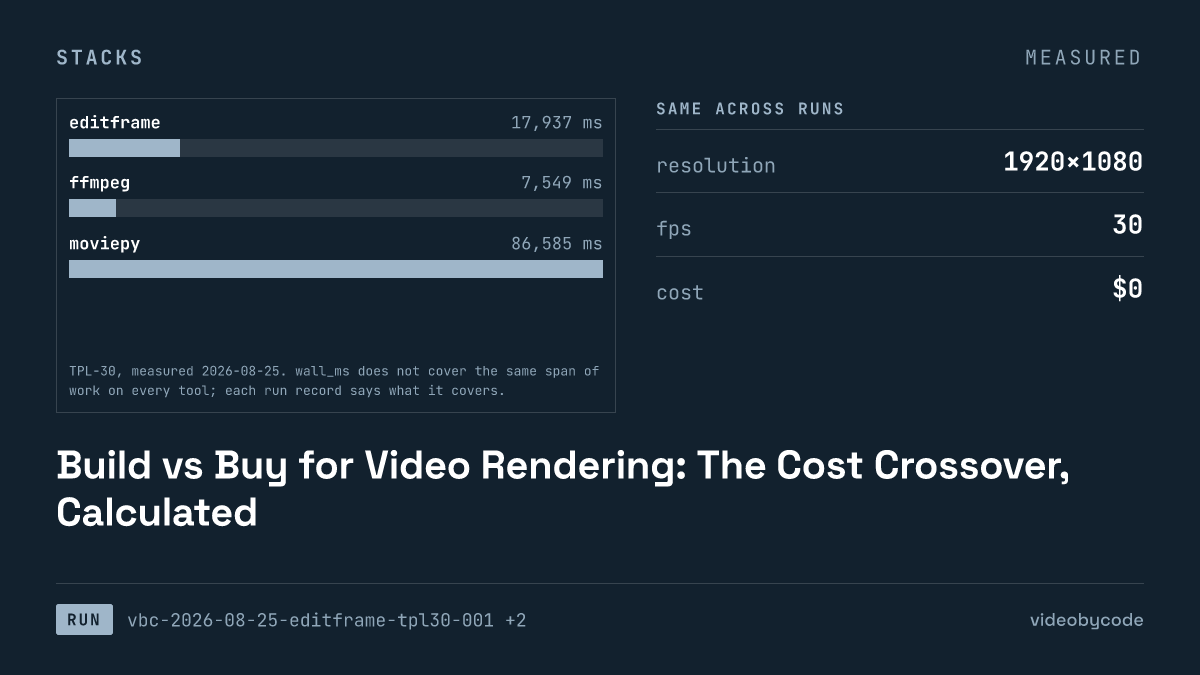
Build vs Buy for Video Rendering: The Cost Crossover, Calculated
Editframe, FFmpeg, MoviePy, and Remotion render the same TPL-30 template; the measured times and vendor prices show where self-hosting stops being free.
Stability AI Video API: Stable Video Diffusion From Code
Stability AI discontinued its Stable Video Diffusion API on 2025-07-24. Four compositing tools still render the same fixed benchmark today.
Meta's Video Generation API: What Is Actually Callable
Meta has not published a developer video generation API as of 2026-08-09; the vendor page describes consumer features, not a callable endpoint, key, or SDK.
Commercial Licensing for Generated Video
Four render tools compared on license terms and TPL-30 benchmark data: Editframe, FFmpeg, MoviePy, and Remotion, with vendor pricing and measured wall time.
Automating Video Editing With Python: MoviePy and FFmpeg
FFmpeg and MoviePy render the same 1920×1080 TPL-30 template; the code, exact versions, and measured render time and output size are given below.
How to Create Video With Code: A Working Pipeline End to End
Editframe, FFmpeg, MoviePy and Remotion render the same TPL-30 template; render time, output size and cost are compared with linked evidence, not vendor claims.