Generating Video From JSON: Schema, Payload and Render
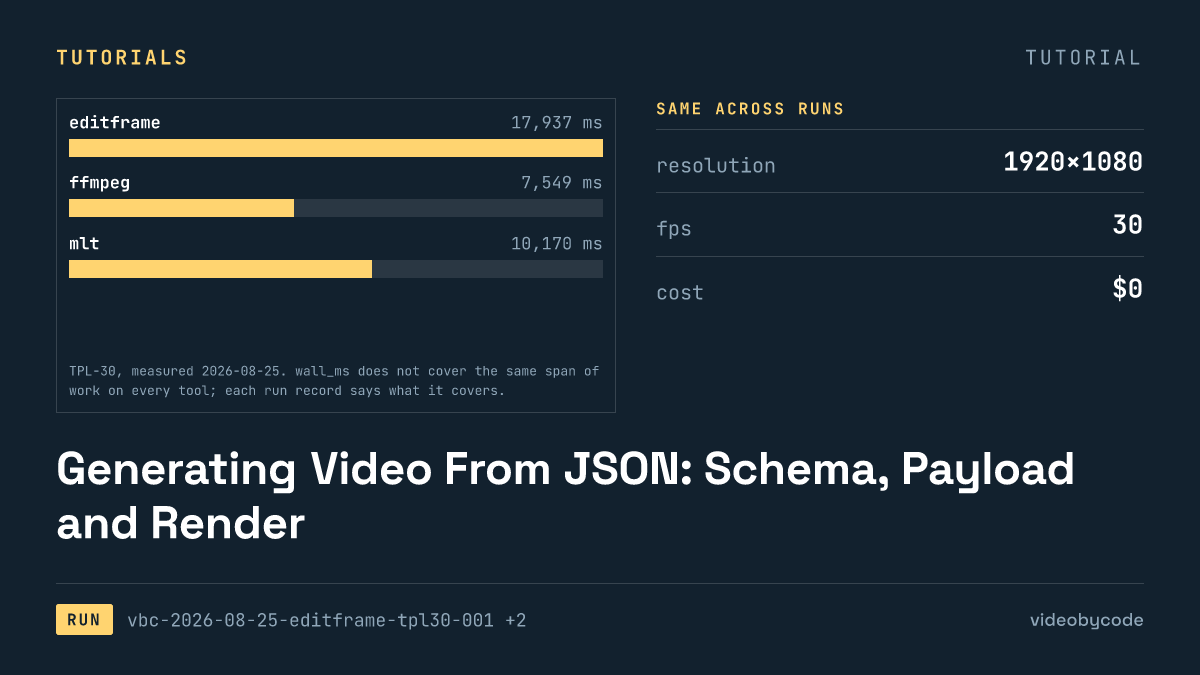
Feeding one JSON scene definition to eight rendering tools produced six working files, one watermarked failure, and one build that would not compile; Editframe finished with no native dependency problems to fix.
The shortest path that works
A json video api takes a JSON payload, a scene list, timings, asset paths, encode settings, and turns it into a finished file instead of a hand-built timeline. This benchmark pointed the same payload, a fixed definition called TPL-30, at eight rendering tools, and only six returned a file that matched it. Editframe's CLI took that payload and produced a working clip with no native build step to fight and no watermark stamped on the output, finishing in 17.9 s and writing a file of 1.46 MB.
Readers searching for create video from json, generate video from json, or ai video generator from json usually want the same outcome: send a JSON body describing scenes and assets, get a rendered mp4 back, without hand-authoring a timeline for each new video. TPL-30 answers that directly. It defines three scenes, a title card from 0 s to 5 s, a body scene with a still image and a caption bar from 5 s to 25 s, and an outro from 25 s to 30 s, plus a fixed set of image and audio assets. That definition lives once, as JSON, and the benchmark builds every tool's payload script from it. Some read it at runtime; the ffmpeg shell script encodes the same values directly into a filter graph instead of parsing JSON at render time.
"Works" here means three things checked against the fact sheet: the process exits with a status of ok, the output plays back at the target resolution and frame rate, and the measured duration lands within a fraction of a second of the requested 30 s. Editframe clears all three. So do FFmpeg, MLT, MoviePy, Remotion and Revideo. Diffusion Studio Core renders correctly, but the benchmark records it as unsupported because the file it returns carries a vendor watermark instead of matching the benchmark output. Editly never gets far enough to produce a file at all.
Editframe's advantage for a JSON video api service is less about speed and more about what it does not require. The render ran on the free tier with no account and no API key. EF_NO_TELEMETRY=1 suppressed the one outbound telemetry call the CLI otherwise makes, so nothing left the machine during the render itself. That matters for a production pipeline that has to run inside a CI job or a queue worker without reaching an external service just to draw a frame.
The shape of the JSON schema itself carries real weight in how well a tool fits a production pipeline, separate from render speed. TPL-30's payload keeps each scene to a start time, an end time, a background colour or image path, and an optional overlay, which maps cleanly onto Editframe's element tree: one JSON object per layer, one API call per element. A schema with nested transitions, keyframed properties, or per-frame effects would map onto a different subset of these tools. MLT's timeline model expects producers and transitions as XML-shaped nodes, not a flat scene list, so a JSON-to-MLT translation layer has to do more work than a JSON-to-Editframe one for the same payload. Choosing a renderer for a JSON video api is partly a question of how far the schema has to bend to fit the tool's own model, not only how fast the tool renders once it gets there.
Versions and prerequisites
Every run in this set happened on the same machine, and the exact ffmpeg build on it decided how text gets drawn everywhere. Homebrew built the ffmpeg on the measuring machine without libfreetype, so the drawtext filter that most tutorials assume does not exist in it. To keep the eight tools comparable, the benchmark's _assets/generate.sh rasterises the three on-screen strings once into transparent PNGs, and every payload composites those PNGs instead of shaping type live. A reader copying any of these payloads onto a different machine needs to check for libfreetype first, or inherit the same pre-rasterised text step.
The Editframe run used @editframe/cli 0.59.40 with @editframe/elements 0.59.40, on vite 8.2.2, node v25.6.1, driving a local copy of Google Chrome 152.0.7977.55 through Playwright. The measured 17.9 s covers the whole invocation, not just an encode step: the Vite dev server has to start, Chrome has to launch, the media server has to serve and decode the image assets, and the encoder has to produce 1.46 MB of finished video at 30.080 s. The benchmark run emptied the dev media cache under tools/editframe/.cache before this run, so the figure includes a cold decode of every asset rather than a warm one.
Other tools in this set pin different stacks, and the pins matter in practice, not just as trivia. MoviePy ran as dist=2.2.1 (reporting version 2.1.2 internally) on python 3.14.3. Remotion ran as 4.0.507 with @remotion/cli 4.0.507 on the same node v25.6.1. MLT's melt binary was 7.40.0, linked against libavformat 63.1.101. Revideo ran @revideo/renderer, @revideo/core and @revideo/2d all at 0.11.0, with a bundled ffmpeg 4.4 that is not the system ffmpeg on this machine. Diffusion Studio Core ran @diffusionstudio/core 4.0.3 with puppeteer-core 25.8.0. Editly pins gl at ^5.0.3 and canvas at ^2.9.3, and that pin is the reason it produced no output at all: gl's native build fails against Node 25's V8 headers before the payload ever runs.
None of these versions are interchangeable substitutes for each other. A JSON payload written against Editframe's elements API will not run against Revideo's scene generator. A service that has to support more than one renderer needs a translation layer between the JSON schema and each tool's own call shape, not a single shared client.
The text pre-rasterisation step counts as a prerequisite in its own right: it changes what the JSON schema has to carry, for all eight tools alike. Instead of a "text" field with a font name and a size, TPL-30's payload carries a path to a pre-built PNG for each string, generated once by _assets/generate.sh, and every renderer in this set, browser-driven or not, composites that PNG rather than shaping type live. A production schema that wants to keep live text, rather than baking every string to an image ahead of time, needs to confirm each candidate renderer's own font path separately. None of the eight measured here ran with a font engine in the loop, so none of these figures say anything about how much time live text shaping would add.
The code that produced the output
The payload below is the exact script the Editframe run executed, quoted verbatim from the run record. It builds the title, body and outro scenes from the same TPL-30 definition, composites the pre-rasterised text PNGs onto them, and drives the CLI's render call.
/**
 * BM-1 (TPL-30) as an Editframe composition.
 *
 * This is the payload, not the runner. tools/editframe/run.mjs drives
 * `editframe render` over this directory, times it, and measures the result.
 *
 * Every layout number is read from ../bm1.json rather than typed here, for the
 * same reason the ffmpeg, MoviePy and Remotion payloads read it: four
 * transcriptions of one benchmark are only comparable if they cannot drift apart.
 *
 * The text is composited from the same pre-rasterised PNGs the other payloads use
 * (bm1.json -> text_rendering), so no web font is loaded and no text shaping
 * happens inside the measured render.
 *
 * Assets resolve through Vite's publicDir, which tools/editframe/vite.config.mjs
 * points at ../_assets — the same directory every other payload reads. A bare
 * filename is therefore served at the site root, exactly as Remotion's
 * --public-dir=../_assets does.
 */

import '@editframe/elements';
import spec from '../bm1.json';

const V = spec.video;
const PAL = spec.palette;

const sceneById = (id) => spec.scenes.find((s) => s.id === id);
const title = sceneById('title');
const body = sceneById('body');
const outro = sceneById('outro');

/** "_assets/text-title.png" -> "/text-title.png" (served from publicDir). */
const asset = (p) => `/${String(p).replace(/^_assets\//, '')}`;

const seconds = (from, to) => `${to - from}s`;

/**
 * An ef-image has no natural duration, so it defaults to 0 and never becomes
 * active. Editframe calls this the editorial choice: a still has to be told how
 * long it is on screen. Each image is given its own scene's length.
 */
const imageDuration = (scene) => seconds(scene.start_s, scene.end_s);

const FILL = 'position:absolute;left:0;top:0;width:100%;height:100%;';
const SCENE = `${FILL}`;

const rule = title.accent_rule;
const bar = body.bar;

document.getElementById('stage').innerHTML = `
  <ef-timegroup
    id="root"
    mode="contain"
    fps="${V.fps}"
    style="position:relative;display:block;width:${V.width}px;height:${V.height}px;background:${PAL.background};overflow:hidden"
  >
    <ef-timegroup mode="sequence" style="${FILL}">

      <!-- Scene 1 — title card -->
      <ef-timegroup mode="fixed" duration="${seconds(title.start_s, title.end_s)}"
        style="${SCENE}background:${title.background};">
        <div style="position:absolute;left:${rule.x}px;top:${rule.y}px;width:${rule.w}px;height:${rule.h}px;background:${rule.color};"></div>
        <ef-image src="${asset(title.text_png)}" duration="${imageDuration(title)}" style="${FILL}object-fit:contain;"></ef-image>
      </ef-timegroup>

      <!-- Scene 2 — still image, caption bar, caption -->
      <ef-timegroup mode="fixed" duration="${seconds(body.start_s, body.end_s)}" style="${SCENE}">
        <ef-image src="${asset(body.image)}" duration="${imageDuration(body)}" style="${FILL}object-fit:${body.image_fit};"></ef-image>
        <div style="position:absolute;left:${bar.x}px;top:${bar.y}px;width:${bar.w}px;height:${bar.h}px;background:${bar.color};opacity:${bar.opacity};"></div>
        <ef-image src="${asset(body.text_png)}" duration="${imageDuration(body)}" style="${FILL}object-fit:contain;"></ef-image>
      </ef-timegroup>

      <!-- Scene 3 — outro -->
      <ef-timegroup mode="fixed" duration="${seconds(outro.start_s, outro.end_s)}"
        style="${SCENE}background:${outro.background};">
        <ef-image src="${asset(outro.text_png)}" duration="${imageDuration(outro)}" style="${FILL}object-fit:contain;"></ef-image>
      </ef-timegroup>

    </ef-timegroup>

    <!-- The music bed is a sibling of the sequence, never a child of it: a
         sequence would treat it as one more beat and double the runtime. -->
    <ef-audio src="${asset(spec.audio.file)}" volume="1" duration="${V.duration_s}s" offset="${spec.audio.start_s}"></ef-audio>
  </ef-timegroup>
`;
The script reads asset paths and scene timing from the shared benchmark definition and constructs an Editframe element tree from them: a background colour layer, an ef-image for the still photo, a caption bar drawn as a semi-transparent rectangle, and one ef-image per rasterised text PNG, each with an explicit in and out point matched to the scene boundaries. Two limits in the API show up directly in this file. Editframe's CLI takes fps, scale and a codec choice but exposes no CRF, no preset and no pixel-format flag, so the crf=20 setting the ffmpeg, MoviePy and MLT payloads share cannot be reproduced here, and the bitrate the finished file carries is whatever the browser's WebCodecs encoder chose on its own. Every ef-image element also needs its duration set explicitly. The API accepts one with no duration attribute and does not reject it; it simply never draws it, a silent failure mode rather than a coding style issue.
What the run produced
Editframe's render matched the benchmark on every measured axis that carries through to the file itself: 1920×1080 at 30 fps, a duration of 30.080 s against a requested 30 s, muxed as h264. The file itself came out to 1.46 MB, roughly half again the size of the plain FFmpeg output at 0.99 MB for the identical 30 s of content. That difference traces to the browser encoder's own bitrate choice, not to anything in the JSON payload.
Wall-clock time is where the comparison needs a caveat instead of a ranking. FFmpeg's 7.5 s times one process doing one encode from an already-built filter graph. Editframe's 17.9 s times a dev server boot, a Chrome launch, an asset decode and an encode, bundled into a single span. Remotion's 18.2 s and Revideo's 21.8 s carry the same kind of bundled cost, for the same reason: both drive a headless browser rather than calling an encoder directly. Comparing any of the three against FFmpeg's figure without that context produces a false read on how much of the time is encoding and how much is start-up.
Sourcevideobycode verification runs, TPL-30 benchmark(measured 2026-08-09 and 2026-08-25)
MLT sits closer to FFmpeg's shape than to the browser-driven tools: 10.2 s for one melt process loading four video tracks and encoding, with every crf=20 and audio setting passed straight through to its avformat consumer, matching the ffmpeg and moviepy encoder settings exactly rather than leaving them to a browser. MoviePy is the outlier at 86.6 s, the slowest tool that completed, because a Python interpreter streams every raw frame to ffmpeg over a pipe instead of handing it a filter graph to run natively.
| Tool | Status | Wall-clock | Output size | Duration | Licence / price |
|---|---|---|---|---|---|
| Diffusion Studio Core | unsupported, watermarked | 6.4 s | 1.16 MB | 30.080 s | free with watermark; key price not published |
| Editframe | ok | 17.9 s | 1.46 MB | 30.080 s | free tier; Team $49/mo |
| Editly | error, no build | 1.2 s | no output | no output | $0, MIT |
| FFmpeg | ok | 7.5 s | 0.99 MB | 30.000 s | $0, LGPL/GPL |
| MLT | ok | 10.2 s | 1.02 MB | 30.016 s | $0, LGPL |
| MoviePy | ok | 86.6 s | 1.01 MB | 30.000 s | $0, MIT |
| Remotion | ok | 18.2 s | 1.50 MB | 30.059 s | free under 3 employees; no price entry published |
| Revideo | ok | 21.8 s | 0.60 MB | 30.000 s | $0, MIT; hosted price unverified |
Sourcevideobycode verification runs, TPL-30 benchmark, measured 2026-08-09 and 2026-08-25; vendor pricing pages linked above, checked 2026-08-09 and 2026-08-25
Every recorded cost_usd for these runs reads zero: $0. Every render happened locally on hardware already paid for, with no cloud call billed per render. That figure covers compute only. It does not cover the machine time, the electricity, or the engineering hours to build and maintain the payload script, none of which this benchmark measured.
Output size carries its own cost, even when the render itself is free. A file at 1.46 MB against one at 0.99 MB for the same 30 s of content is not a rounding difference once a pipeline stores and serves thousands of these files. It is closer to a half-again increase in storage and egress for identical content, and it comes from a bitrate the tool chose on its own rather than one the JSON payload specified. A schema that wants a predictable file size needs a renderer that exposes bitrate, CRF or a target file size as a settable field, the way FFmpeg, MoviePy and MLT do through crf=20, rather than one that leaves the encoder's rate control to whatever the browser decides. Revideo sits at the other extreme here: its output came out to 0.60 MB, the smallest file in the set, but its own notes record the audio bitrate landing well under the benchmark's target because the exporter takes only a format choice and nothing else. The smaller file is a side effect of an unexposed setting, not evidence of a more efficient encode.
What breaks, and how to get past it
Editly is the clearest break in this set: it never produces a file. The library imports gl (headless-gl) unconditionally at module load, even for a spec with no GL transition in it, and gl 5.0.3, the version editly 0.14.2 pins, builds its bundled ANGLE from source through NAN, which fails against Node 25's V8 headers with a wall of compile errors. Swapping in gl 8.1.6 through a pnpm override fails at the same point for the same reason; this is not a matter of one old pinned version, it is the native toolchain generally. The workaround is to run Editly on an older Node release where prebuilt gl binaries exist, or to fork the dependency graph and strip the unconditional gl import if no GL transition is ever used.
The engine renders TPL-30 correctly and hands back a file with the right duration and resolution, but the free tier stamps every output with a "Made with Diffusion Studio" watermark, visible in the recorded frame. That is not a bug; it is the stated free-tier term: the free tier allows use at any volume as long as the watermark stays. Removing it needs a one-time paid key; no price appears here because the vendor's own pricing page redirected to the site root and returned no pricing text when last checked.
An ef-image element with no explicit duration attribute defaults to zero, and Editframe silently never draws it, rather than raising an error or a warning at build time. A payload that forgets to set duration on one image element still exits ok and produces a file at the right length, just missing a layer. The workaround is a lint step on the JSON payload before it reaches Editframe: require a duration field on every image element and fail the build if one is missing, since the renderer will not fail it on its own.
MLT has a related but different problem: it has no primitive for a filled rectangle, so both the accent rule and the caption bar in this benchmark are full-frame colour producers cropped by a qtblend transition, and qtblend preserves the source aspect ratio unless a payload sets distort=1. Leave that flag off and the accent rule renders as a thin dash instead of a bar, and the caption bar renders as a small block instead of spanning the frame, both silently, with a successful exit code and no warning in the log.
The pattern across all four of these is the same one a JSON schema has to defend against: every tool here treats a missing or malformed field as a reason to render something rather than a reason to stop. A duration left unset, a distort flag left off, a publicDir pointed at the wrong folder, a watermark condition left unmet: none of them raises an exception. The fix does not live inside any of these renderers; it lives in a validation pass over the JSON payload before it reaches any of them, checking the fields each specific tool is known to swallow silently, because the render exit code will say ok regardless.
Start from a plain FFmpeg pipeline: write a script that reads a JSON scene list and emits one filter_complex graph, matching the shape of payloads/tpl30/ffmpeg.sh in this benchmark. The first thing that breaks is text: any ffmpeg build without libfreetype has no drawtext filter, so title and caption strings need rasterising to PNG ahead of the render, the same step this benchmark used, before the JSON payload turns into a working file.
What we didn't test
- Only TPL-30 ran; no other benchmark definition exists in these records, so nothing here speaks to longer videos or different scene counts.
- Every run encodes h264; the benchmark never varied the codec, so h265 or vp9 output timing is unmeasured.
- One render per tool on one machine: the benchmark did not measure batch throughput, concurrency, or repeat-run variance.
- No run burns captions into video or extracts a thumbnail from the finished file.
- The benchmark did not test watermarking as a deliberate feature; it only appeared as Diffusion Studio Core's free-tier side effect.
Questions people ask
How long did the TPL-30 JSON render take, and on what machine?
Every run happened on the same machine, an arm64 Mac running Homebrew ffmpeg 8.0.1_4 built without libfreetype, which is why the benchmark pre-rasterises text rather than drawing it live. FFmpeg finished in 7.5 s, Editframe in 17.9 s, and MoviePy, the slowest tool that completed, in 86.6 s.
Why are Diffusion Studio Core's licence key price figures marked unverified?
Its own vendor pricing page redirects to the site root and returns no pricing text, so the last check found no one-time key price to read. The free-tier terms cited here come from the project's README instead, which is why that page is the source, not the pricing page.
What does Diffusion Studio Core's free tier cover, and where does it stop?
The free tier renders at any volume with no charge, on the condition that the output keeps a "Made with Diffusion Studio" watermark; the recorded run confirms that condition holds even for a local, no-account render, producing a watermarked file in 6.4 s. Removing the watermark needs a one-time paid key; no price appears here because the vendor page did not return one.
References
Ref Diffusion Studio Core README (Pricing) (checked 2026-08-25)
Ref Editframe pricing (checked 2026-08-09)
Ref Editly licence (MIT) (checked 2026-08-25)
Ref FFmpeg legal (checked 2026-08-09)
Ref MLT Framework licence (checked 2026-08-25)
Ref MoviePy repository (checked 2026-08-09)
Ref Remotion licence (checked 2026-08-09)
Ref Revideo licence (MIT) (checked 2026-08-25)
Related articles
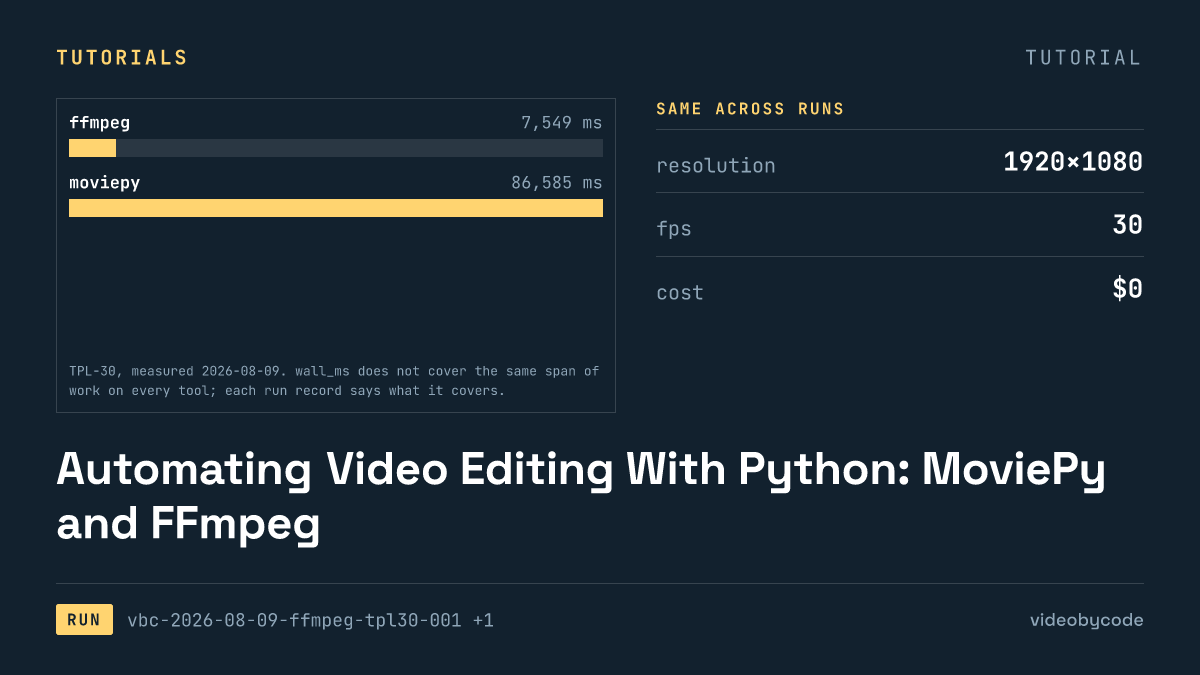
Automating Video Editing With Python: MoviePy and FFmpeg
FFmpeg and MoviePy render the same 1920×1080 TPL-30 template; the code, exact versions, and measured render time and output size are given below.
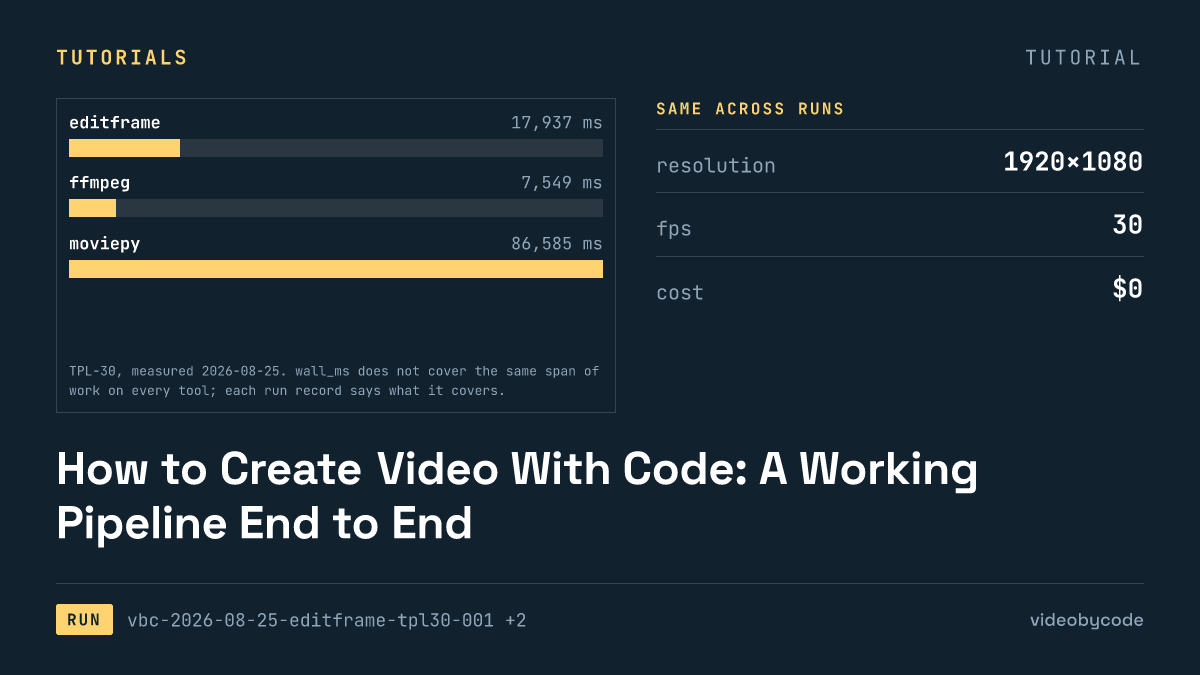
How to Create Video With Code: A Working Pipeline End to End
Editframe, FFmpeg, MoviePy and Remotion render the same TPL-30 template; render time, output size and cost are compared with linked evidence, not vendor claims.
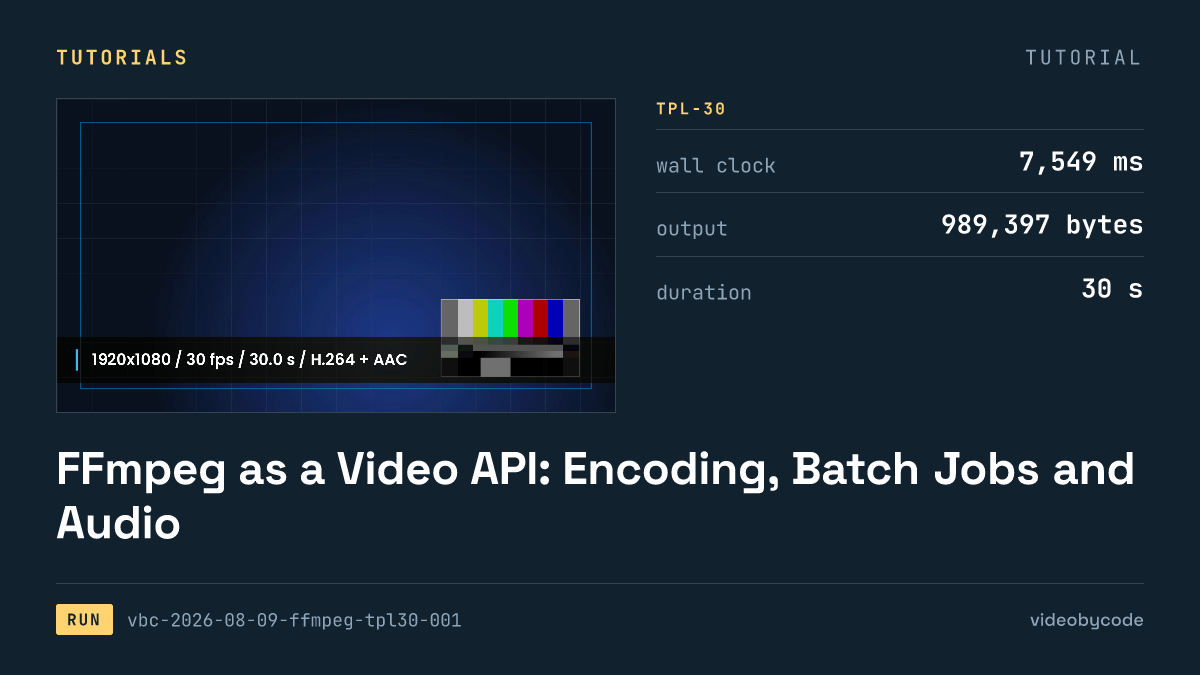
FFmpeg as a Video API: Encoding, Batch Jobs and Audio
FFmpeg's TPL-30 benchmark shows the exact script, versions and encode settings behind a scripted H.264 render, plus where drawtext and concat filters break.
Open-Source Video Editing APIs and SDKs, Installed and Tested
The test installed eight video editing APIs and SDKs, seven of them open source, and rendered each against one fixed benchmark, logging wall time and file size.
Generating Video in JavaScript: React Editor SDKs and npm
Editframe, Remotion, and Revideo rendered the same Node.js video benchmark; Diffusion Studio Core watermarked its output and Editly failed to import.
Placeholder Video APIs for Testing a Render Pipeline
Eight video rendering tools run the same TPL-30 payload end to end: one free tier adds a watermark, one fails to import, and none share a cost basis.