Automating Video Editing With Python: MoviePy and FFmpeg
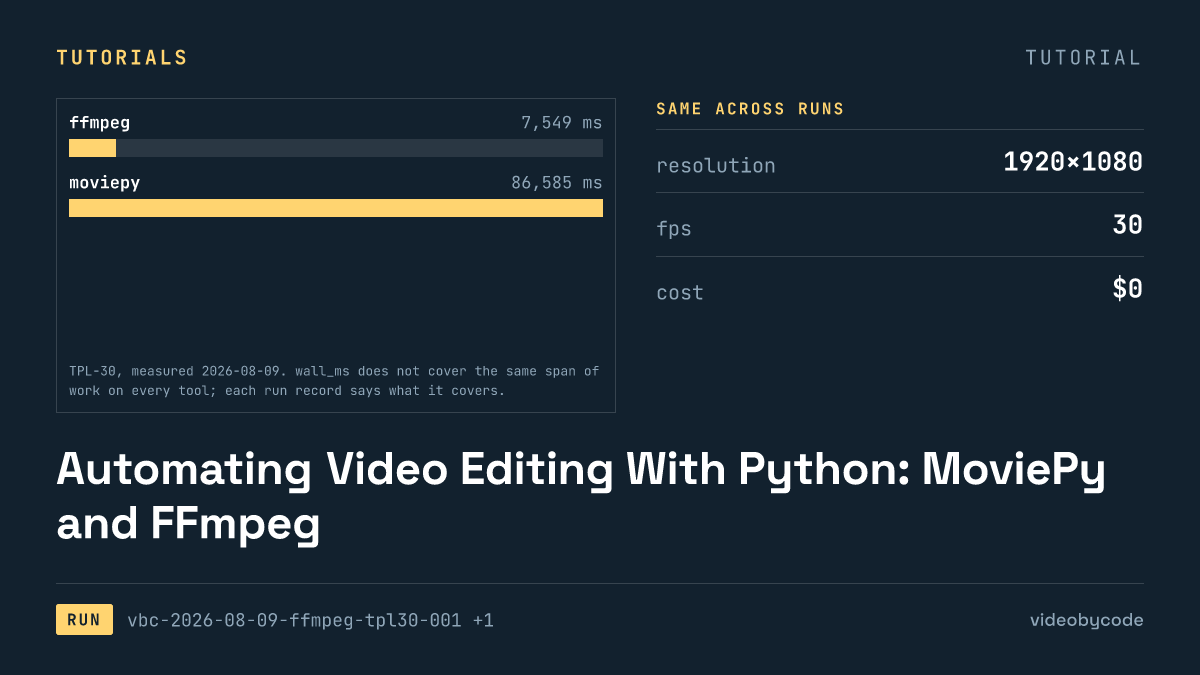
Building a video editing API in Python comes down to two working code paths: a single FFmpeg command that finishes the TPL-30 benchmark in 7.5 s, and the same template driven through MoviePy that takes 86.6 s on the same machine, calling the same ffmpeg encoder underneath.
The shortest path that works
FFmpeg is the video editing API call this benchmark measures first, and it wins on wall clock. FFmpeg finishes the TPL-30 benchmark — a 1920×1080 clip running at 30 fps across 30 s, built from three scenes and a caption bar — in 7.5 s and writes a 0.99 MB file. One process starts and builds a single filter graph before handing frames straight to libx264. No Python interpreter loads, and no frame array has to cross the boundary between a compositing library and the encoder.
That wall-clock number comes from a single-pass canvas, not three separate encodes stitched together afterward. The title scene opens the timeline, the body scene holds the middle stretch, and the outro scene closes it, all inside one 30 s run; ffmpeg's enable expressions switch each overlay on and off at the right timestamp instead of cutting three files and joining them with concat. That removes a decode-then-re-encode pass at every seam, the usual cost of concat-based stitching once audio and video streams both need to line up again.
That FFmpeg command depends on assets that already exist before the render starts, since it does not draw text itself. Text does not come from ffmpeg's drawtext filter here. The Homebrew ffmpeg build on the measuring machine (8.0.1_4, arm64) has no libfreetype compiled in, so drawtext is missing from the filter list entirely. The three text strings — the title card, an overlay line naming the resolution, frame rate, duration and codec (1920×1080, 30 fps, 30 s, H.264 + AAC), and the outro line — are rasterised into transparent 1920×1080 PNGs before either tool runs, and the ffmpeg command composites those PNGs the same way it composites the still photograph. What that decision means for comparing this run to a tool that draws text live is covered further down.
FFmpeg is the shorter path for a fixed layout, not for every layout. If the target is one background image, one caption bar, three timed text overlays, and one audio bed on a known schedule, the ffmpeg path is the one to reach for first: no interpreter, no library import, one process. MoviePy earns its place when the composition has to be assembled from data — looping over a list of clips, branching on a condition, generating overlays from a database row — because a shell script gets unreadable fast once that logic shows up. TPL-30 has no such branching, and the runtime difference in the next section reflects a fixed layout run through two different execution models, not a difference in what either tool is capable of composing.
Versions and prerequisites
The two runs used deliberately pinned versions so the numbers below trace to something reproducible. The ffmpeg run used ffmpeg 8.0.1 built with libx264 and the native AAC encoder, installed through Homebrew on arm64, with libfreetype absent. The moviepy run used moviepy with a package distribution version of 2.2.1 and a reported __version__ of 2.1.2 (the two do not match inside the package itself), running under Python 3.14.3, with numpy 2.5.1 and Pillow 11.3.0 as the array and image dependencies MoviePy calls into for frame composition.
One environment variable matters more than it looks: FFMPEG_BINARY. MoviePy ships with imageio-ffmpeg, which bundles its own copy of the ffmpeg binary and will use it by default. That bundled copy is not necessarily the same build, version, or codec configuration as the system ffmpeg. For this benchmark, FFMPEG_BINARY was set to the system ffmpeg path before the moviepy run started, so the 86.6 s figure reflects MoviePy's own composition and pipe-streaming cost on top of the same encoder used in the ffmpeg run, not a different encoder entirely. Skipping that step means comparing two different ffmpeg builds without knowing it, which produces a number that looks like a MoviePy result but is partly an artifact of whichever ffmpeg imageio-ffmpeg happened to download.
Verification of the output on both runs used ffprobe from the same 8.0.1 build, checking resolution, frame rate, container duration, and codec against the encode settings in the benchmark definition. ffprobe is not optional here: MoviePy's own reported duration and ffmpeg's own log both describe what each tool intended to write, not what the container actually contains once the muxer has finished.
| Tool | Reported version | License | Account tier |
|---|---|---|---|
| ffmpeg | ffmpeg 8.0.1 (libx264, aac; libfreetype=no) | LGPL v2.1+ (some components GPL v2) | oss |
| moviepy | moviepy dist=2.2.1 __version__=2.1.2 / python 3.14.3 / numpy 2.5.1 / pillow 11.3.0 | MIT | oss |
Sourcerun records vbc-2026-08-09-ffmpeg-tpl30-001 and vbc-2026-08-09-moviepy-tpl30-001; license text from ffmpeg.org/legal.html and the moviepy GitHub repository, checked 2026-08-09
Neither tool required a paid tier to produce the output measured in this article. That does not mean either is free of cost at scale — it means no cost was incurred on the oss tier for this render, and no other tier has been run.
The code that produced the output
The ffmpeg run executed a single 42-line shell script, quoted below verbatim from the file that ran. It builds one filter graph for the whole 30 s timeline, overlays the pre-rasterised text PNGs and the caption bar with enable expressions timed to each scene, and encodes once to H.264 with CRF 20 and AAC audio at 192.
#!/usr/bin/env bash
# BM-1 (TPL-30) expressed as a single ffmpeg invocation.
#
# This is the payload, not the runner. tools/ffmpeg/run.mjs executes this script,
# times it, and measures the result. Run it directly if you just want the file:
#
#   OUT=/tmp/out.mp4 bash payloads/tpl30/ffmpeg.sh
#
# Every constant below is transcribed from bm1.json. If the two disagree, bm1.json wins.
#
# Structure: one 30 s background canvas with the three scenes switched on and off by
# `enable` expressions, rather than three encodes plus a concat. Single-pass keeps the
# measured time to one encode, which is what the benchmark is asking about.

set -euo pipefail

HERE="$(cd "$(dirname "$0")" && pwd)"
ASSETS="${ASSETS:-${HERE}/_assets}"
OUT="${OUT:-${HERE}/out.mp4}"
FFMPEG="${FFMPEG:-ffmpeg}"

"${FFMPEG}" -hide_banner -nostdin -y -loglevel warning \
  -f lavfi -i "color=c=0x0B1220:s=1920x1080:r=30:d=30" \
  -loop 1 -i "${ASSETS}/still-1920x1080.jpg" \
  -loop 1 -i "${ASSETS}/text-title.png" \
  -loop 1 -i "${ASSETS}/text-overlay.png" \
  -loop 1 -i "${ASSETS}/text-outro.png" \
  -i "${ASSETS}/bgm-30s.wav" \
  -filter_complex "\
[1:v]scale=1920:1080:force_original_aspect_ratio=increase,crop=1920:1080[img];\
[0:v][img]overlay=0:0:enable='gte(t,5)*lt(t,25)'[v1];\
[v1]drawbox=x=0:y=820:w=1920:h=160:[email protected]:t=fill:enable='gte(t,5)*lt(t,25)'[v2];\
[v2]drawbox=x=760:y=700:w=400:h=6:color=0x38BDF8:t=fill:enable='lt(t,5)'[v3];\
[v3][2:v]overlay=0:0:enable='lt(t,5)'[v4];\
[v4][3:v]overlay=0:0:enable='gte(t,5)*lt(t,25)'[v5];\
[v5][4:v]overlay=0:0:enable='gte(t,25)'[vout]" \
  -map "[vout]" -map 5:a \
  -c:v libx264 -preset medium -crf 20 -pix_fmt yuv420p -r 30 \
  -c:a aac -b:a 192k -ar 48000 -ac 2 \
  -movflags +faststart \
  -t 30 \
  "${OUT}"
The enable expressions are what let one process stand in for what would otherwise be three separate renders. Each overlay input carries a condition such as "active between this timestamp and that one," evaluated per frame inside the same filter graph that composites the still photograph, the caption bar, and the audio bed. A reader adapting this script for a different template changes three things: the scene boundary timestamps that gate each enable condition, the paths under _assets/ that the -i flags point at, and the output resolution and CRF if the target differs from 1920×1080 at CRF 20. The scene count and overlay count are not parameters in this script — adding a fourth scene means adding a fourth input and a fourth enable condition by hand, which is the tradeoff for staying in one process instead of a templating layer.
The moviepy run executed a 115-line Python script. It builds ImageClip and TextClip-equivalent layers in Python — the same pre-rasterised PNGs stand in for text here too — composites them with MoviePy's CompositeVideoClip, and writes the result by streaming raw frames into the ffmpeg binary pointed to by FFMPEG_BINARY.
#!/usr/bin/env python3
"""BM-1 (TPL-30) expressed as a MoviePy composition.

This is the payload, not the runner. tools/moviepy/run.mjs executes it inside
verification/.venv, times it, and measures the result. Run it directly with:

    OUT=/tmp/out.mp4 verification/.venv/bin/python payloads/tpl30/moviepy.py

Every constant comes from bm1.json, which is read at import time rather than
copied, so the payload cannot silently drift from the benchmark definition.

Two deliberate choices, both recorded in the run notes:

1. The text layers are the same pre-rasterised PNGs the ffmpeg payload uses.
   MoviePy 2 can set type itself through Pillow, but letting one tool shape text
   and another composite a bitmap would put text shaping inside one tool's
   wall_ms and not the other's.
2. MoviePy is pointed at the system ffmpeg through FFMPEG_BINARY instead of the
   copy that ships inside imageio-ffmpeg. Both tools then hand frames to the same
   encoder, so the difference in the numbers is MoviePy's Python frame pipeline
   rather than two different builds of x264.
"""

import json
import os
import pathlib
import sys

HERE = pathlib.Path(__file__).resolve().parent

# This file is named moviepy.py because the design document names it that, which
# means its own directory shadows the moviepy package on sys.path. Drop the script
# directory before importing anything.
sys.path = [p for p in sys.path if p and pathlib.Path(p).resolve() != HERE]
SPEC = json.loads((HERE / "bm1.json").read_text())
ASSETS = pathlib.Path(os.environ.get("ASSETS", HERE / "_assets"))
OUT = pathlib.Path(os.environ.get("OUT", HERE / "out.mp4"))

# Must be set before moviepy is imported: it resolves the binary at import time.
os.environ.setdefault("FFMPEG_BINARY", "/opt/homebrew/bin/ffmpeg")

from moviepy import AudioFileClip, ColorClip, CompositeVideoClip, ImageClip  # noqa: E402

V = SPEC["video"]
W, H, FPS, DUR = V["width"], V["height"], V["fps"], V["duration_s"]


def hex_rgb(value):
    value = value.lstrip("#")
    return tuple(int(value[i:i + 2], 16) for i in (0, 2, 4))


def scene(sid):
    return next(s for s in SPEC["scenes"] if s["id"] == sid)


def layer(path, start, end, position=(0, 0), opacity=None):
    clip = ImageClip(str(path)).with_start(start).with_duration(end - start).with_position(position)
    return clip.with_opacity(opacity) if opacity is not None else clip


def box(rect, start, end, color, opacity=None):
    clip = (
        ColorClip(size=(rect["w"], rect["h"]), color=hex_rgb(color))
        .with_start(start)
        .with_duration(end - start)
        .with_position((rect["x"], rect["y"]))
    )
    return clip.with_opacity(opacity) if opacity is not None else clip


def build():
    title, body, outro = scene("title"), scene("body"), scene("outro")

    background = ColorClip(size=(W, H), color=hex_rgb(SPEC["palette"]["background"])).with_duration(DUR)

    layers = [
        background,
        # Scene 1 — title card
        box(title["accent_rule"], title["start_s"], title["end_s"], title["accent_rule"]["color"]),
        layer(ASSETS / "text-title.png", title["start_s"], title["end_s"]),
        # Scene 2 — still image, caption bar, caption
        ImageClip(str(ASSETS / "still-1920x1080.jpg"))
        .with_start(body["start_s"])
        .with_duration(body["end_s"] - body["start_s"])
        .with_position((0, 0)),
        box(body["bar"], body["start_s"], body["end_s"], body["bar"]["color"], body["bar"]["opacity"]),
        layer(ASSETS / "text-overlay.png", body["start_s"], body["end_s"]),
        # Scene 3 — outro
        layer(ASSETS / "text-outro.png", outro["start_s"], outro["end_s"]),
    ]

    video = CompositeVideoClip(layers, size=(W, H)).with_duration(DUR)
    return video.with_audio(AudioFileClip(str(ASSETS / SPEC["audio"]["file"].split("/")[-1])).with_duration(DUR))


def main():
    clip = build()
    clip.write_videofile(
        str(OUT),
        fps=FPS,
        codec="libx264",
        preset=V["preset"],
        pixel_format=V["pixel_format"],
        audio_codec="aac",
        audio_bitrate=f"{V['audio_bitrate_kbps']}k",
        audio_fps=V["audio_sample_rate"],
        ffmpeg_params=["-crf", str(V["crf"]), "-movflags", "+faststart"],
        logger=None,
    )
    print(f"wrote {OUT}")


if __name__ == "__main__":
    main()
That last step is the mechanical difference the wall-time gap in the next section traces back to. CompositeVideoClip.write_videofile does not hand ffmpeg a filter graph to evaluate on its own; it renders each output frame as a numpy array inside the Python process, using Pillow and numpy to composite the still image, the caption bar, and the text PNGs frame by frame, then writes each frame's raw bytes to ffmpeg over a pipe. At 30 fps for 30 s, that is several hundred frames each round-tripping through Python's object model and a subprocess pipe before ffmpeg ever sees them, instead of staying inside ffmpeg's own C filter graph for the whole timeline. The versions pinned above are not incidental to that cost: numpy 2.5.1 and Pillow 11.3.0 are what do the per-frame array work, and a version change in either is a plausible source of a different wall-time reading on a repeat run, though no repeat run exists yet to confirm that.
A reader adapting the MoviePy script changes the same three things as the ffmpeg script — timestamps, asset paths, output settings — but does it in Python data structures (lists of clips, .set_start() and .set_duration() calls) rather than shell flags, which is the reason to reach for MoviePy in the first place once a template has to be generated from a loop or a config file instead of hand-written per render. Both scripts read from the same _assets/ directory: the still photograph, the three text PNGs, the background music bed, and the font file used only to generate those PNGs ahead of time, not during either render. Neither script generates audio or narration; the only audio in the output is the 30 s music bed encoded to AAC at 192, 48000, stereo.
What the run produced
Both outputs matched the benchmark's encode target: 1920×1080, 30 fps, an H.264 + AAC mp4 container. Where they differ is file size and, sharply, wall time.
| Tool | Wall time | Output size | Output duration | Cost |
|---|---|---|---|---|
| ffmpeg | 7.5 s | 0.99 MB | 30.000 s | $0 |
| moviepy | 86.6 s | 1.01 MB | 30.000 s | $0 |
Sourceffprobe 8.0.1 against both output files; wall time and cost from run records vbc-2026-08-09-ffmpeg-tpl30-001 and vbc-2026-08-09-moviepy-tpl30-001
Sourcevideobycode verification runs(measured 2026-08-09)
The moviepy run takes roughly an order of magnitude longer wall time than the ffmpeg run for a pixel-equivalent output. Both files decode to the same resolution, frame rate, and duration, and both cost nothing on the oss tier. The difference sits entirely in wall time, and wall time is the number that determines how many renders a queue can push through per hour, not output correctness — ffprobe found nothing wrong with either file. A render pipeline that processes templates one after another accumulates that per-render gap across every job in the queue; the gap does not shrink as volume grows, because each render still pays the same per-frame Python and pipe cost that the single TPL-30 run paid.
The output sizes are close but not identical, which is expected: MoviePy and ffmpeg build slightly different intermediate frame data before handing it to the same libx264 encoder, and CRF-based encoding responds to whatever it is given, not to a fixed target size. Neither number should be read as "MoviePy compresses better" or worse; they are both within a similar range for the same CRF 20 setting, and the gap is not large enough on this single run to draw a compression-efficiency conclusion.
What this table does not say matters as much as what it does. It does not report CPU time or peak memory for either process, only wall-clock duration, so a reader choosing between the two on a memory-constrained worker has no data here to act on. It does not include a perceptual or pixel-difference check between the two output files — ffprobe confirms the container metadata, not frame content — so no claim is made here that the two files look identical frame for frame, only that both match the requested resolution, frame rate, and codec. And it is a single measurement per tool, not an average of repeated runs, which the next section returns to. For a reader deciding what to build today, the actionable read is narrower than "ffmpeg wins": if the render is a fixed template running in a queue where wall time is the constraint, the ffmpeg path measured here removes the per-frame Python cost entirely; if the composition needs to branch on data before a single frame renders, that removal is not available inside a shell script, and the wall-time cost measured for MoviePy is the price of keeping that logic in Python.
What breaks, and how to get past it
The first break is not a crash — it is a missing filter. Running drawtext on the ffmpeg build used for this benchmark fails immediately, because that build has no libfreetype linked in. ffmpeg -filters | grep drawtext returns nothing on this machine. The fix used here is to stop treating text as something ffmpeg draws at render time and rasterise it once, ahead of time, into PNGs with alpha, then treat each text layer as an image overlay like any other. That sidesteps the missing filter entirely and also means the 7.5 s and 86.6 s figures do not include any text-shaping cost for either tool — a build with libfreetype available, using drawtext directly, has not been measured and would not be comparable to these two numbers without saying so.
TPL-30's three text strings are rasterised once into PNGs before either run starts. Both runs recorded here composite the same PNGs, so neither wall time includes text shaping. A future run against a tool that renders text natively — Pillow's ImageDraw inside a MoviePy clip, for example — has to say so in its own notes, or its wall time is not comparable to the two figures in this article.
The second break is quieter and easier to miss: MoviePy defaulting to the wrong ffmpeg binary. imageio-ffmpeg, one of MoviePy's dependencies, bundles its own ffmpeg download and will use it unless told otherwise. That bundled build can differ in version and codec support from whatever ffmpeg is already installed on the machine. Setting FFMPEG_BINARY to the system ffmpeg path before importing MoviePy forces it onto the same 8.0.1 build used for the standalone ffmpeg run, which is the only reason the two wall times in this article are attributable to the tools and not to two different encoders wearing the same name.
A third source of confusion is the version string MoviePy reports. The installed distribution reports 2.2.1, while the package's own __version__ attribute reports 2.1.2. A script that checks moviepy.__version__ to decide which API shape to call (MoviePy's API changed between the 1.x and 2.x lines) is reading a value one step removed from what the package manager installed. Checking the distribution version directly, rather than trusting __version__ alone, avoids branching on the wrong assumption when moviepy's internal versioning and its package metadata disagree.
Building this yourself starts by running the ffmpeg command used for the benchmark template directly from the shell, before wrapping anything in moviepy's write_videofile. The first thing that breaks on a fresh machine is the drawtext filter: a stock Homebrew ffmpeg build without libfreetype compiled in refuses that filter outright, so text has to be rasterised into PNGs and composited into the timeline instead, the way this run did it. Get that filter graph working locally before comparing the measured wall clock against a moviepy run of the same template, since the gap between ffmpeg and moviepy depends on that filter graph as much as on the interpreter overhead.
What we didn't test
- A GPU encoder path was not tried, since both runs rely on the same CPU-only software encoder, so nothing here shows whether MoviePy's per-frame Python cost still dominates once encoding itself gets faster.
- Repeat runs to check variance were not taken, so each figure here is a single measurement, not an average, and scheduling noise or thermal throttling could move a second run either way.
- Only one operating system and one chip were measured, so nothing here speaks to a different chip, a Linux container build, or a CI runner instead of a local machine.
- MoviePy's own concurrency option was not exercised, since
write_videofiletakes athreadsargument that no run here varies from its script default. - Cloud rendering services and hosted video APIs were out of scope, since the benchmark template has only run against tools installed locally, not a managed rendering backend.
Questions people ask
How long did the recorded TPL-30 render take, and on what machine?
The ffmpeg run finished in 7.5 s and the moviepy run finished in 86.6 s, both on the same machine: Homebrew ffmpeg 8.0.1_4 on arm64, both measured 2026-08-09. No other hardware has been measured, so the gap cannot be generalised past this one setup.
What does FFmpeg's free tier cover, and where does it stop?
FFmpeg is licensed under LGPL v2.1 or later, with some components under GPL v2, and running it costs $0 at any volume, per the FFmpeg legal page checked 2026-08-09. That license covers the software only; codec patent licensing for formats such as H.264 is a separate matter the license text does not resolve.
What is the question behind the search "video automation python"?
Most people typing that phrase want to generate or edit a video from a script instead of a manual editor, and MoviePy is the library that lets that composition happen in Python rather than in a shell command. TPL-30 shows what that convenience costs in wall time on one benchmark: 86.6 s against ffmpeg's 7.5 s for the same output.
References
Ref FFmpeg Legal (checked 2026-08-09)
Ref MoviePy GitHub repository (checked 2026-08-09)
Related articles
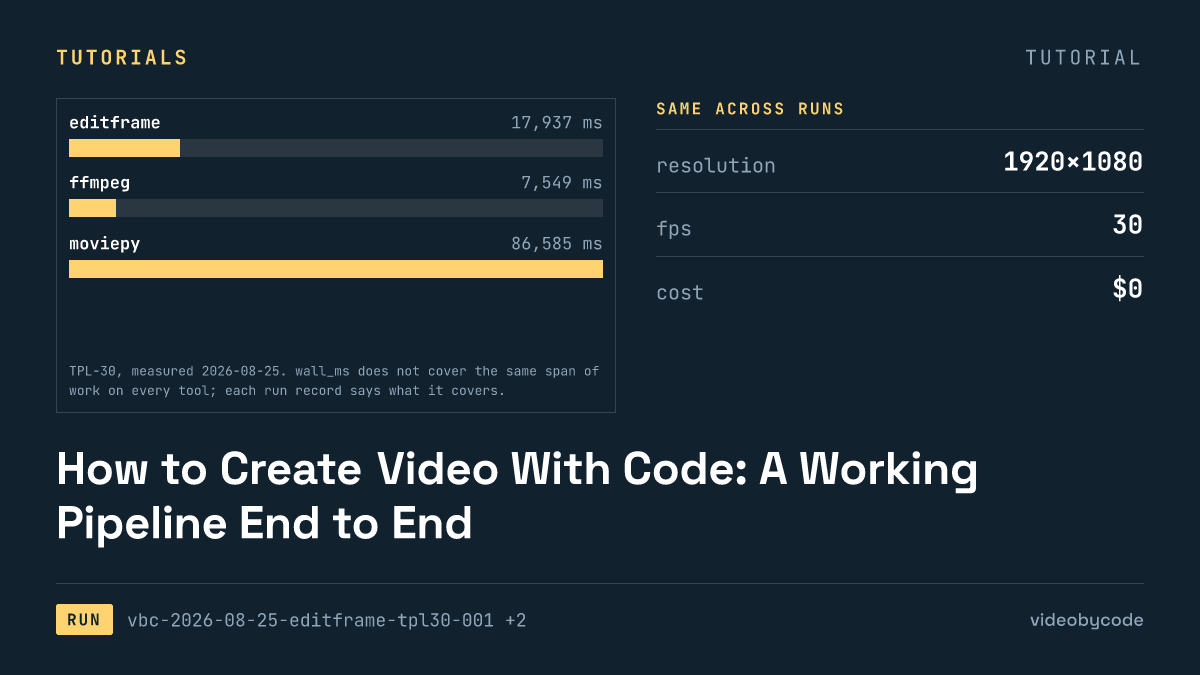
How to Create Video With Code: A Working Pipeline End to End
Editframe, FFmpeg, MoviePy and Remotion render the same TPL-30 template; render time, output size and cost are compared with linked evidence, not vendor claims.
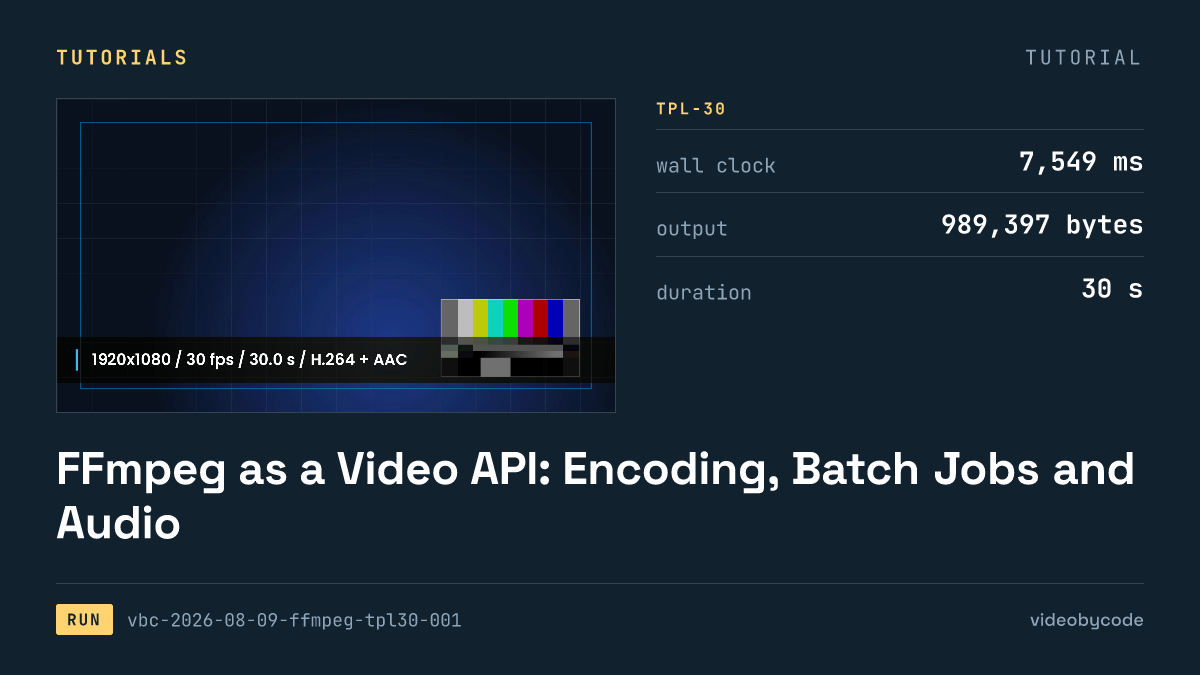
FFmpeg as a Video API: Encoding, Batch Jobs and Audio
FFmpeg's TPL-30 benchmark shows the exact script, versions and encode settings behind a scripted H.264 render, plus where drawtext and concat filters break.
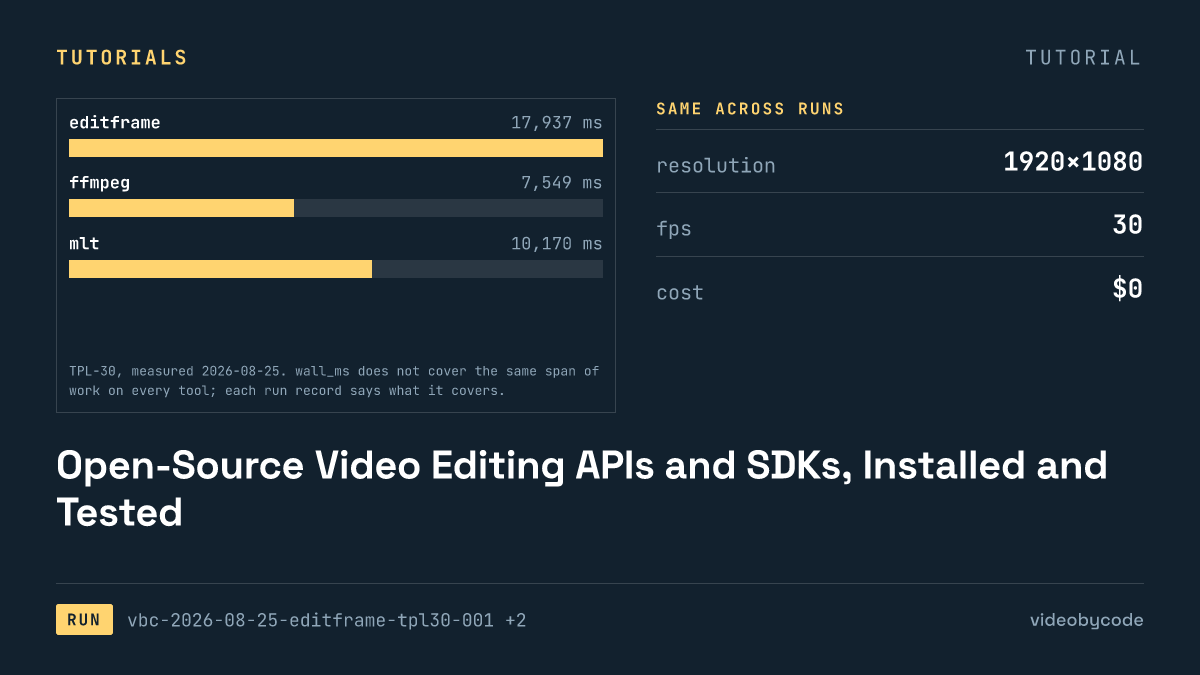
Open-Source Video Editing APIs and SDKs, Installed and Tested
The test installed eight video editing APIs and SDKs, seven of them open source, and rendered each against one fixed benchmark, logging wall time and file size.
Generating Video From JSON: Schema, Payload and Render
Eight rendering tools ran the same JSON scene payload; this compares what rendered, what failed, and what each tool costs to run in production.
Generating Video in JavaScript: React Editor SDKs and npm
Editframe, Remotion, and Revideo rendered the same Node.js video benchmark; Diffusion Studio Core watermarked its output and Editly failed to import.
Placeholder Video APIs for Testing a Render Pipeline
Eight video rendering tools run the same TPL-30 payload end to end: one free tier adds a watermark, one fails to import, and none share a cost basis.