Generating Video in JavaScript: React Editor SDKs and npm
Three JavaScript-native tools finished the TPL-30 render locally with no cloud account; two others in the same test set did not produce a usable file, one because of a forced watermark and one because a native dependency would not compile.
The shortest path that works
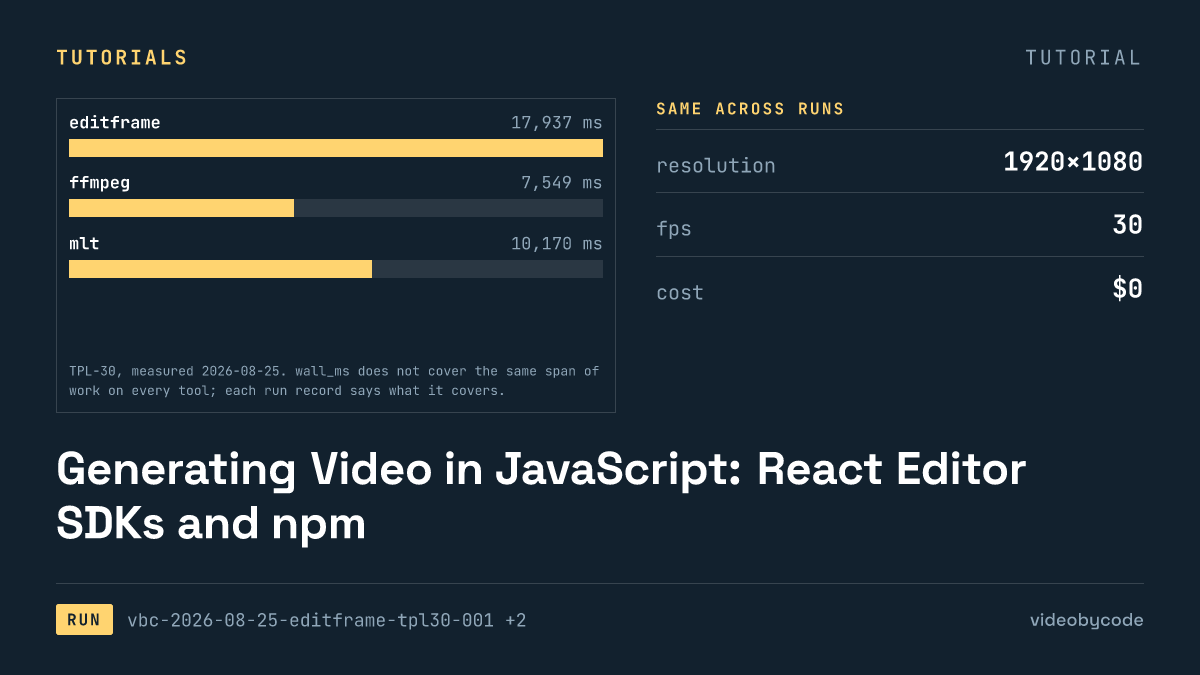
Editframe answers the search directly: its free-tier CLI takes a plain JavaScript file and an npx invocation and returns a finished MP4. It needs no account and no API key; no cloud endpoint sits in the path either. Running payloads/tpl30/editframe/main.js against the TPL-30 benchmark (the 1920×1080, 30 fps, 30 s, h264+aac template-fill test this article uses throughout) finished in 17.9 s and produced a 1.46 MB file with a measured duration of 30.080 s. That is the working answer to "generate video js" among the tools this benchmark ran: an npm package, a JavaScript composition file, a CLI command.
That figure is not a bare encode. It covers the whole invocation the CLI runs: a Vite dev server starting, system Chrome launching through Playwright, 900 individual frame captures, and a WebCodecs encode at the end. Comparing it against a plain FFmpeg command line compares two different kinds of work: one drives a browser to build and screenshot a scene graph, the other reads pixels and muxes a container. The run record says so directly rather than leaving the difference implicit.
Five JavaScript-native paths were run against the identical TPL-30 payload: Editframe, Remotion, Revideo, Diffusion Studio Core, and Editly. Two of the five did not produce a usable benchmark file. Diffusion Studio Core rendered correctly but stamped its output with a vendor watermark that the free tier requires; Editly failed before rendering started, because one of its native dependencies would not compile against the Node version on the machine that ran this benchmark. Of the five, three produced a clean file matching the benchmark's container and codec, at the correct resolution: Editframe, Remotion, Revideo. Their full figures sit in "What the run produced" below, next to FFmpeg, MLT, MoviePy as a non-JavaScript baseline.
Remotion and Revideo take a related but not identical path to Editframe's: both build a composition in a headless browser tab rather than calling a rendering function directly against raw frames. Remotion builds its compositions as React components and renders them in Chromium, capturing each frame in turn; Revideo forks Motion Canvas and drives the same kind of headless-Chrome capture through Puppeteer. Editframe's main.js composes the same way, against elements rather than JSX. All three therefore pay for a browser launch and a frame-capture loop that a library like FFmpeg or MoviePy, working directly on pixel buffers, does not.
All five install through npm: @editframe/cli and @editframe/elements, remotion and @remotion/cli, @revideo/renderer with @revideo/core and @revideo/2d, @diffusionstudio/core with puppeteer-core, and editly. A reader searching for a React-based path lands on Remotion first, because its composition format is JSX; a reader searching for the shortest route from a fresh npm init to a played file lands on Editframe, based on the figures above. Neither claim needs a subjective label: both are read straight off the run records for this benchmark, and both are qualified to this one 30 s template-fill test rather than to every workload a video pipeline might run.
Versions and prerequisites
@editframe/cli 0.59.40 and @editframe/elements 0.59.40 drove this run, bundled through Vite 8.2.2 on Node v25.6.1, with system Chrome 152.0.7977.55 through Playwright. EF_NO_TELEMETRY=1 suppressed the CLI's telemetry POST for this run; no account and no API key were configured. The measured invocation took 17.9 s and produced the 1.46 MB file described above, with a measured duration of 30.080 s against a 30 s target.
One prerequisite is easy to miss. The dev media server that Editframe starts decodes and caches image assets on first request, and this run started against an empty cache directory on the machine that ran it. The measured time above therefore includes that decode-and-cache work rather than reusing a warm cache. A second render against a warm cache would run faster; the run record makes no claim about by how much.
Four other JavaScript-native tools carry their own version strings and their own setup requirements. Remotion 4.0.507 needs @remotion/cli at the same version and bundles its own FFmpeg; the run cannot swap in the system binary the way it can for MoviePy. Revideo 0.11.0 pulls in @revideo/renderer, @revideo/core, @revideo/2d, all pinned to 0.11.0, plus Chrome for Testing 152.0.7977.42 through Puppeteer; its FFmpeg exporter defaults to whatever @ffmpeg-installer ships, which for this run was FFmpeg 4.4 rather than the 8.0.1 build every non-browser tool in this set encoded with. Diffusion Studio Core 4.0.3 runs on puppeteer-core 25.8.0 and needs no separate build step beyond Vite 8.2.2, but the page it renders must run behind Cross-Origin-Opener-Policy: same-origin and Cross-Origin-Embedder-Policy: credentialless headers, which rules out dropping it onto an unmodified static host. Editly 0.14.2 needs two native Node modules, canvas and gl; the second loads unconditionally at import time even for a spec, like this benchmark's, that requests no GL transition, and it would not build on this machine's Node v25.6.1 (see "What breaks, and how to get past it").
The machine that ran every render in this benchmark uses a local Homebrew build, FFmpeg 8.0.1_4 on arm64, compiled without libfreetype. That single fact governs every tool in this set, not only the ones that call FFmpeg directly, because it is the reason the three text layers arrive as pre-rasterised PNGs rather than native drawtext calls. A reader reproducing these figures on a different FFmpeg build, one compiled with libfreetype, would see a different picture for any tool that draws text at render time; none of the eight tools measured here do.
None of the five JavaScript tools needed a paid account or an API key to run the benchmark. That matters for a reader planning a CI pipeline: every render in this set ran on a developer machine with no network call to a rendering service; the Editframe run's cost_usd field reads $0.
The code that produced the output
payloads/tpl30/editframe/main.js appears below, quoted verbatim from the run that produced the figures above, checksum included in the token rather than retyped by hand.
/**
 * BM-1 (TPL-30) as an Editframe composition.
 *
 * This is the payload, not the runner. tools/editframe/run.mjs drives
 * `editframe render` over this directory, times it, and measures the result.
 *
 * Every layout number is read from ../bm1.json rather than typed here, for the
 * same reason the ffmpeg, MoviePy and Remotion payloads read it: four
 * transcriptions of one benchmark are only comparable if they cannot drift apart.
 *
 * The text is composited from the same pre-rasterised PNGs the other payloads use
 * (bm1.json -> text_rendering), so no web font is loaded and no text shaping
 * happens inside the measured render.
 *
 * Assets resolve through Vite's publicDir, which tools/editframe/vite.config.mjs
 * points at ../_assets — the same directory every other payload reads. A bare
 * filename is therefore served at the site root, exactly as Remotion's
 * --public-dir=../_assets does.
 */

import '@editframe/elements';
import spec from '../bm1.json';

const V = spec.video;
const PAL = spec.palette;

const sceneById = (id) => spec.scenes.find((s) => s.id === id);
const title = sceneById('title');
const body = sceneById('body');
const outro = sceneById('outro');

/** "_assets/text-title.png" -> "/text-title.png" (served from publicDir). */
const asset = (p) => `/${String(p).replace(/^_assets\//, '')}`;

const seconds = (from, to) => `${to - from}s`;

/**
 * An ef-image has no natural duration, so it defaults to 0 and never becomes
 * active. Editframe calls this the editorial choice: a still has to be told how
 * long it is on screen. Each image is given its own scene's length.
 */
const imageDuration = (scene) => seconds(scene.start_s, scene.end_s);

const FILL = 'position:absolute;left:0;top:0;width:100%;height:100%;';
const SCENE = `${FILL}`;

const rule = title.accent_rule;
const bar = body.bar;

document.getElementById('stage').innerHTML = `
  <ef-timegroup
    id="root"
    mode="contain"
    fps="${V.fps}"
    style="position:relative;display:block;width:${V.width}px;height:${V.height}px;background:${PAL.background};overflow:hidden"
  >
    <ef-timegroup mode="sequence" style="${FILL}">

      <!-- Scene 1 — title card -->
      <ef-timegroup mode="fixed" duration="${seconds(title.start_s, title.end_s)}"
        style="${SCENE}background:${title.background};">
        <div style="position:absolute;left:${rule.x}px;top:${rule.y}px;width:${rule.w}px;height:${rule.h}px;background:${rule.color};"></div>
        <ef-image src="${asset(title.text_png)}" duration="${imageDuration(title)}" style="${FILL}object-fit:contain;"></ef-image>
      </ef-timegroup>

      <!-- Scene 2 — still image, caption bar, caption -->
      <ef-timegroup mode="fixed" duration="${seconds(body.start_s, body.end_s)}" style="${SCENE}">
        <ef-image src="${asset(body.image)}" duration="${imageDuration(body)}" style="${FILL}object-fit:${body.image_fit};"></ef-image>
        <div style="position:absolute;left:${bar.x}px;top:${bar.y}px;width:${bar.w}px;height:${bar.h}px;background:${bar.color};opacity:${bar.opacity};"></div>
        <ef-image src="${asset(body.text_png)}" duration="${imageDuration(body)}" style="${FILL}object-fit:contain;"></ef-image>
      </ef-timegroup>

      <!-- Scene 3 — outro -->
      <ef-timegroup mode="fixed" duration="${seconds(outro.start_s, outro.end_s)}"
        style="${SCENE}background:${outro.background};">
        <ef-image src="${asset(outro.text_png)}" duration="${imageDuration(outro)}" style="${FILL}object-fit:contain;"></ef-image>
      </ef-timegroup>

    </ef-timegroup>

    <!-- The music bed is a sibling of the sequence, never a child of it: a
         sequence would treat it as one more beat and double the runtime. -->
    <ef-audio src="${asset(spec.audio.file)}" volume="1" duration="${V.duration_s}s" offset="${spec.audio.start_s}"></ef-audio>
  </ef-timegroup>
`;
The composition mirrors TPL-30's three scenes exactly: a title card from 0 s to 5 s, a body scene running from 5 s to 25 s, an outro from 25 s to 30 s. The target encode is 1920 by 1080 at 30 fps, container mp4, h264 video and aac audio at 192 kbps sampled at 48000.
No font renderer draws any of the three text strings in the composition (title, body overlay, outro line) at encode time. The FFmpeg build on the machine that ran every render in this benchmark (Homebrew FFmpeg 8.0.1_4, arm64) ships without libfreetype, so its drawtext filter does not exist. To keep every tool in this benchmark comparable, _assets/generate.sh rasterises all three strings once into transparent PNGs, and every tool, Editframe included, composites those same PNGs rather than shaping type itself.
What the run produced
Editframe, Remotion, Revideo each returned a playable file matching the benchmark's resolution and codec; FFmpeg, MLT, MoviePy (none of them JavaScript; all three serve as baseline) did the same. Diffusion Studio Core returned a playable file that does not match the benchmark, because of the watermark. Editly returned nothing.
| Tool | Status | Render time | Output size | Measured duration |
|---|---|---|---|---|
| FFmpeg 8.0.1 | ok | 7.5 s | 0.99 MB | 30.000 s |
| Diffusion Studio Core 4.0.3 | unsupported (watermark) | 6.4 s | 1.16 MB | 30.080 s |
| MLT (melt) 7.40.0 | ok | 10.2 s | 1.02 MB | 30.016 s |
| Editframe 0.59.40 | ok | 17.9 s | 1.46 MB | 30.080 s |
| Remotion 4.0.507 | ok | 18.2 s | 1.50 MB | 30.059 s |
| Revideo 0.11.0 | ok | 21.8 s | 0.60 MB | 30.000 s |
| MoviePy 2.1.2 | ok | 86.6 s | 1.01 MB | 30.000 s |
| Editly 0.14.2 | error (import failed) | not comparable | not produced | not produced |
Sourcevideobycode verification runs, benchmark TPL-30, measured 2026-08-09 and 2026-08-25
Sourcevideobycode verification runs(TPL-30, measured 2026-08-09 and 2026-08-25)
The representative frame kept for each run is frame 450, sitting inside the body scene, where the still image and caption bar share the frame with the overlay text. That frame is what a manual QC pass looks at first, and it is where the Diffusion Studio Core watermark and the MLT rectangle bug are both visible without opening a video player.
MoviePy is the slowest ok run in the set: 86.6 s against FFmpeg's 7.5 s. It runs a Python interpreter streaming raw frames to FFmpeg rather than a compiled binary or a browser capture loop. FFmpeg is the fastest ok run. It is also the only tool here doing one thing at a time: one process, one filter graph, one encode, with no browser and no interpreter loop layered above it. MLT sits between the two: one process, one encode, but built from an XML timeline rather than a single filter-graph expression. Revideo's output file is the smallest of the six comparable renders. The reason is not a smaller picture; the note below on its silent audio track explains why (see "What breaks, and how to get past it").
Every open-source run in this benchmark recorded no metered spend, because every tool here renders locally with no per-call charge. That absence of a line item does not cover everything a production pipeline would spend. Compute time on a render machine costs something; so does the engineering time to work around Editly's native-dependency failure; so would a Diffusion Studio Core paid key. Editframe publishes two paid plans beyond its free tier: Team at $49 per month and Cloud at $99 per month, the latter adding cloud rendering and queueing rather than the local CLI path this benchmark measured. Remotion's free tier covers individuals and companies of three or fewer employees, with no priced plan published on the page cited below for larger teams. Revideo and Diffusion Studio Core publish no figure for their respective hosted or licensed paid options; both fields are marked unverified rather than estimated (see FAQ).
What breaks, and how to get past it
Two of the eight runs in this set never produced a comparable file, and two more produced a file that quietly does not match what it claims to be. Editly is the clearest failure: the process exits during import, before any composition or encode starts. Editly 0.14.2 pins gl at ^5.0.3, and index.js imports glTransitions.js unconditionally: the same import fires even for a spec, like this one, that uses no GL transition. gl builds its bundled ANGLE from source through NAN, and that build fails against Node v25.6.1's V8 headers with 20 compile errors. This run tried two fixes, and neither helped: pointing python at a python3 shim (the gyp configure step then passes, but the compile itself is what fails) and substituting gl 8.1.6 through a pnpm override (same failure, same point in the build). Editly would sit alongside FFmpeg, MoviePy, MLT on a Node version gl supports: it composites in Node and shells out to FFmpeg, and customOutputArgs passes the benchmark's crf and preset straight through. It is not comparable on the Node version this benchmark ran.
Diffusion Studio Core does render, but its free-tier output is not the benchmark. The library states its own terms on load, printing "No Diffusion Studio Core key provided. Rendering with watermark." Its README repeats the condition: free use holds only while the "Made with Diffusion Studio" watermark stays on the video. Removing it needs a one-time paid key, and the vendor's own pricing page for that key returned no pricing text on the day it was checked (a 301 redirect to the site root; see FAQ). This benchmark records the run as unsupported rather than ok for this reason, and the watermark shows in the kept representative frame.
A pipeline that gates a deploy on FFmpeg's, Editframe's, or Revideo's exit code alone would have shipped every output described above: the watermark, the silent audio track, the squashed rectangles all included. Exit code zero and a matching duration are necessary checks on a rendered file, not sufficient ones, for any tool in this set.
Revideo resolves every audio asset path by joining outDir/../public/ with the asset's src value, regardless of the publicDir value set in its Vite config. Point publicDir anywhere else and ffprobe fails to find the source audio file; the exporter then substitutes a generated silent track, and the render still reports success. The result is a full-duration file whose AAC stream contains nothing, and no check against the output file alone catches it: duration, resolution, codec all still match.
Revideo carries a second sharp edge from the same run: makeScene2D takes the scene name first and the generator function second. Revideo accepts a call passing only the generator with no error at the call site, then fails much later inside the browser as Cannot read properties of undefined (reading 'name'), a runtime error far from the line that caused it. Editframe has a quieter version of the same class of bug: an ef-image element with no explicit duration attribute defaults to zero, so the image is silently never drawn, and the render still reports 900 out of 900 frames captured over a black picture. MLT has one more, of a different shape: it has no primitive for a filled rectangle, so it builds the benchmark's accent rule and caption bar as full-frame colour producers and crops them with a qtblend transition, and unless distort=1 is set, qtblend preserves the source aspect ratio. Without it, a 400×6 rule renders as an 11×6 dash and a 1920×160 bar renders as a 284×160 block, silently, with a successful exit code. Every one of these is a success signal that lies about what actually rendered; the fix in each case is the same one: set the attribute explicitly, and check the output file's pixels and audio track, not the process exit code.
Start from payloads/tpl30/ffmpeg.sh: the only payload in this set that ran clean, with no native-dependency failure, no forced watermark, no silent-audio bug. Adapt its scene-gating approach (one canvas, three time ranges selected with enable expressions) to a new asset set, and check the text question first: run ffmpeg -filters | grep drawtext. If that returns nothing, pre-rasterise text into PNGs the way _assets/generate.sh does here, rather than passing -vf drawtext to a build that does not have the filter.
What we didn't test
Every run in this set used the TPL-30 benchmark only; no other benchmark exists in these records, so a heavier composition (more layers, a longer duration, moving elements) is untested. Every run encodes h264; this set never varied the codec, and no VP9, AV1, or ProRes figures exist to compare against these. Each tool ran once, on one machine; this benchmark did not measure batch throughput, concurrent renders, queue behavior under load, which matters for a reader sizing a rendering fleet rather than a single job. Caption burn-in gets no run in this set, a common production step none of these payloads exercise. Removing a watermark programmatically gets none either, which bears directly on Diffusion Studio Core's free-tier output above.
Questions people ask
How long did the TPL-30 benchmark render take, and on what machine?
The fastest ok run in this set, FFmpeg 8.0.1, finished in 7.5 s; the slowest, MoviePy, took 86.6 s. Both ran on the same machine: arm64, with a Homebrew FFmpeg 8.0.1_4 build compiled without libfreetype.
Why are Diffusion Studio Core's price figures marked unverified?
Diffusion Studio Core's own pricing page for its one-time licence key 301-redirects to the site root and serves no pricing text, checked 2026-08-25. No number is asserted for that key because none could be read.
What does Diffusion Studio Core's free tier cover, and where does it stop?
The free tier renders at any volume with no charge, provided the output keeps the "Made with Diffusion Studio" watermark. Removing the watermark needs a one-time paid key, and the vendor has not published a price for that key.
References
Ref Editframe pricing (checked 2026-08-09)
Ref Diffusion Studio Core README (checked 2026-08-25)
Ref Editly LICENSE (checked 2026-08-25)
Ref FFmpeg legal (checked 2026-08-09)
Ref MLT Framework COPYING (checked 2026-08-25)
Ref MoviePy repository (checked 2026-08-09)
Ref Remotion LICENSE (checked 2026-08-09)
Ref Revideo LICENSE (checked 2026-08-25)
Related articles
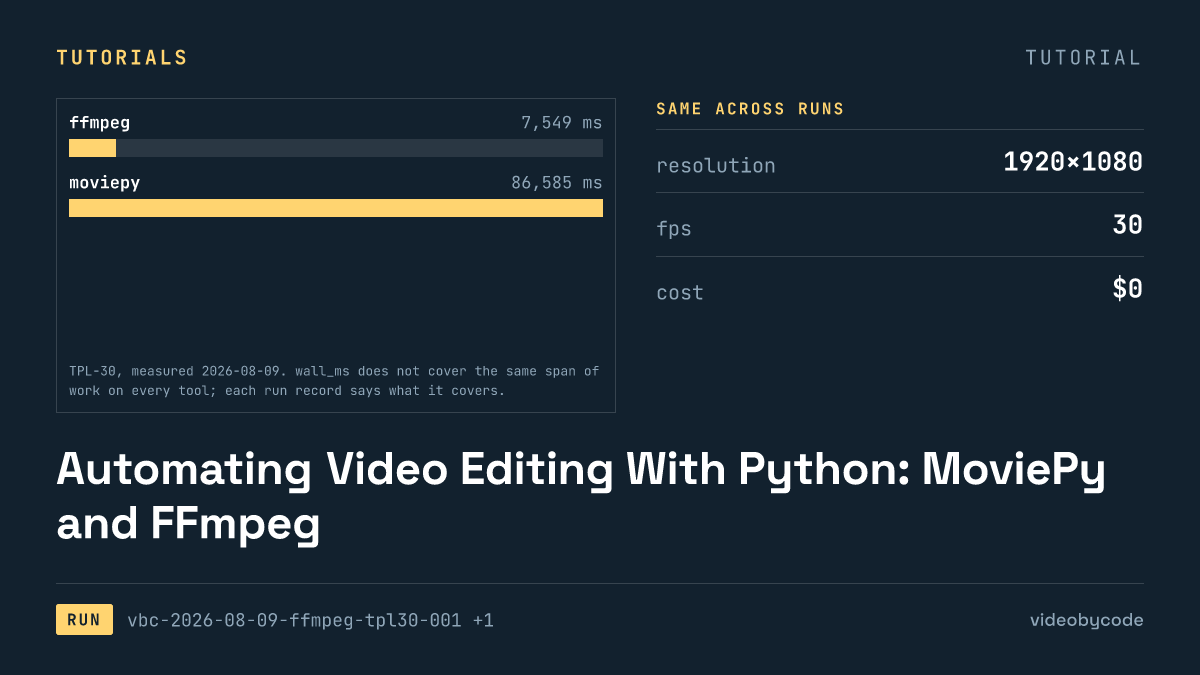
Automating Video Editing With Python: MoviePy and FFmpeg
FFmpeg and MoviePy render the same 1920×1080 TPL-30 template; the code, exact versions, and measured render time and output size are given below.
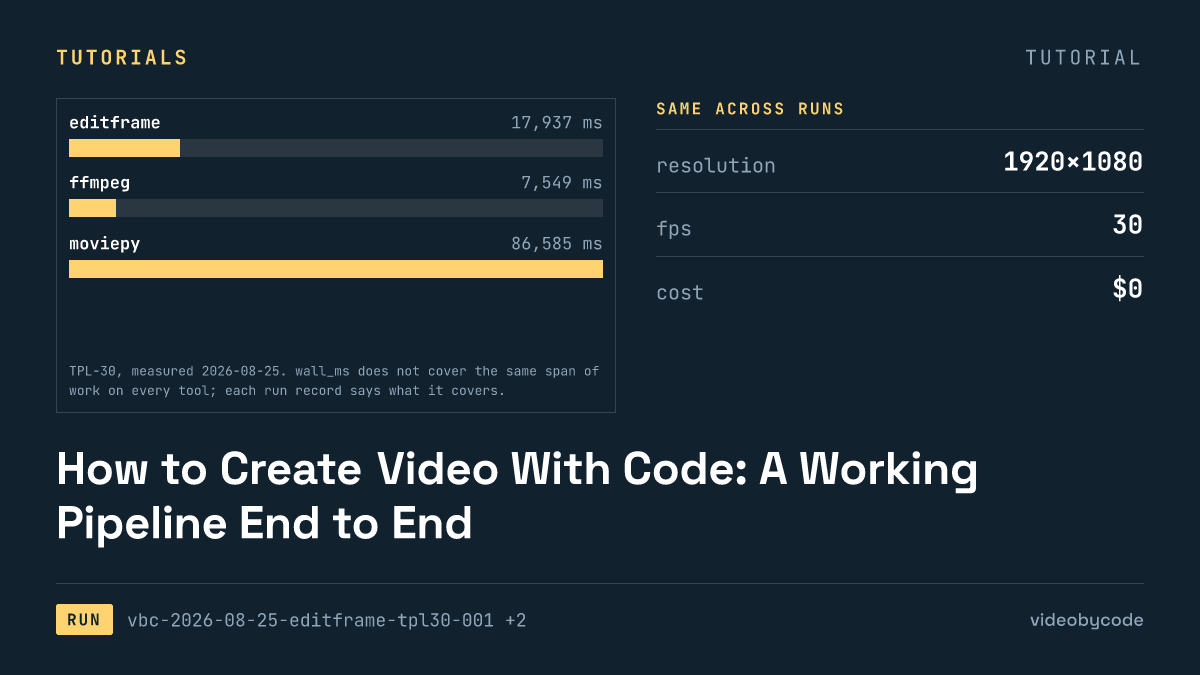
How to Create Video With Code: A Working Pipeline End to End
Editframe, FFmpeg, MoviePy and Remotion render the same TPL-30 template; render time, output size and cost are compared with linked evidence, not vendor claims.
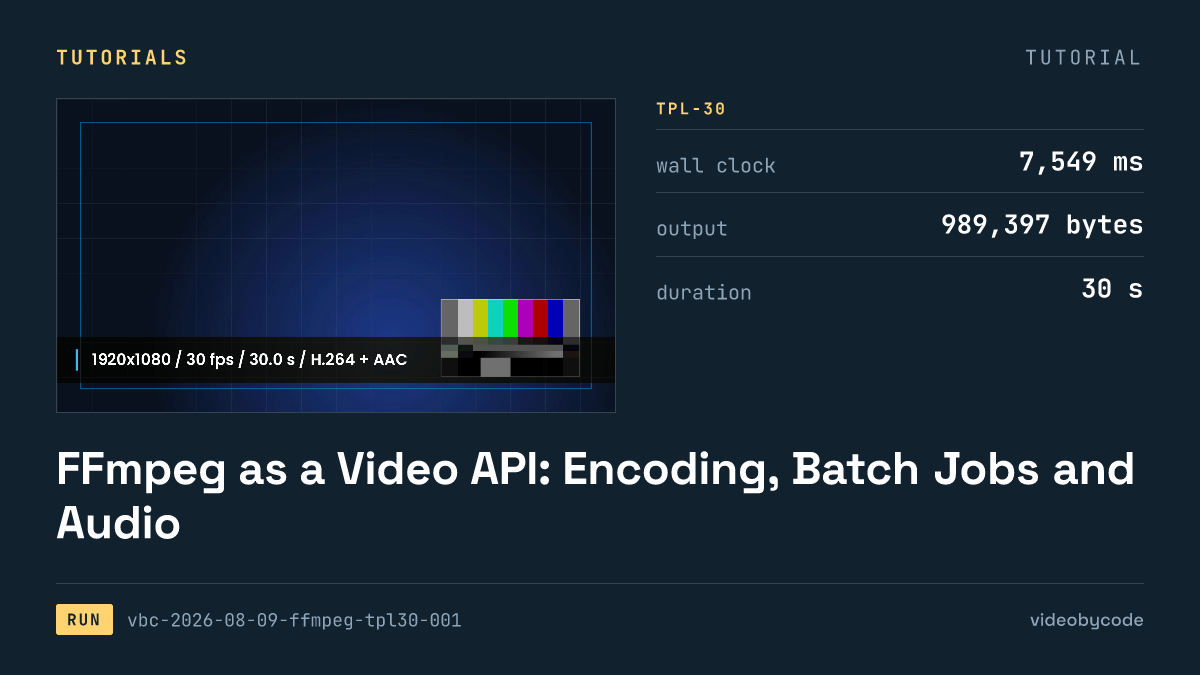
FFmpeg as a Video API: Encoding, Batch Jobs and Audio
FFmpeg's TPL-30 benchmark shows the exact script, versions and encode settings behind a scripted H.264 render, plus where drawtext and concat filters break.
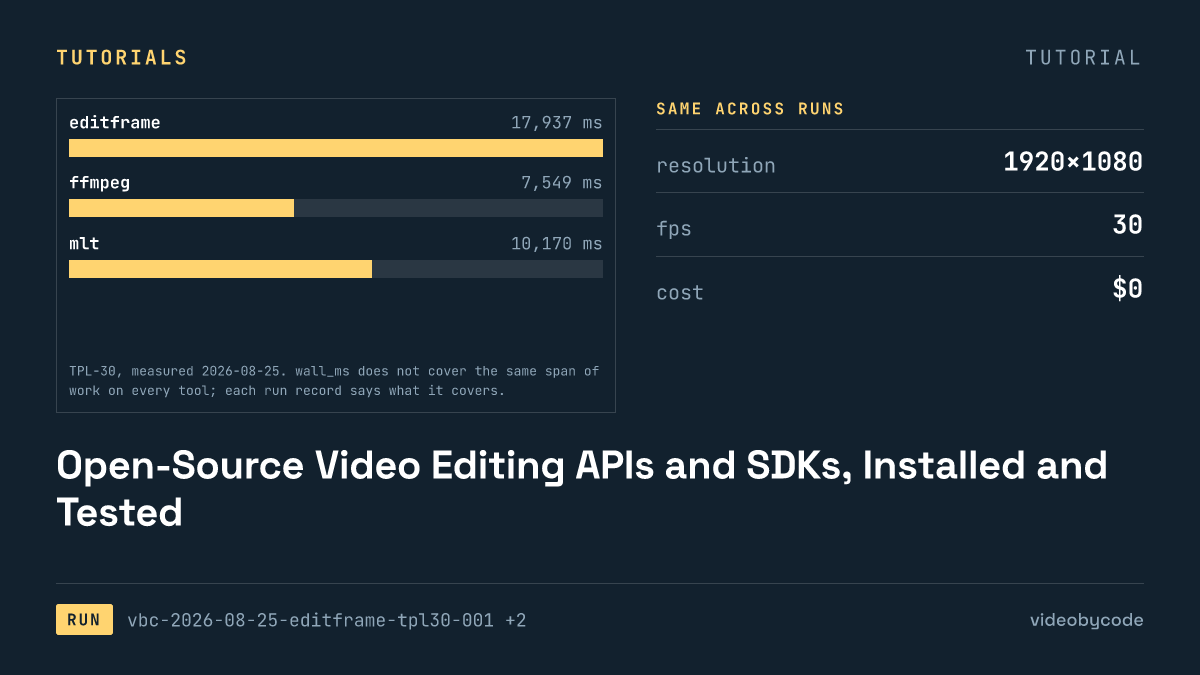
Open-Source Video Editing APIs and SDKs, Installed and Tested
The test installed eight video editing APIs and SDKs, seven of them open source, and rendered each against one fixed benchmark, logging wall time and file size.
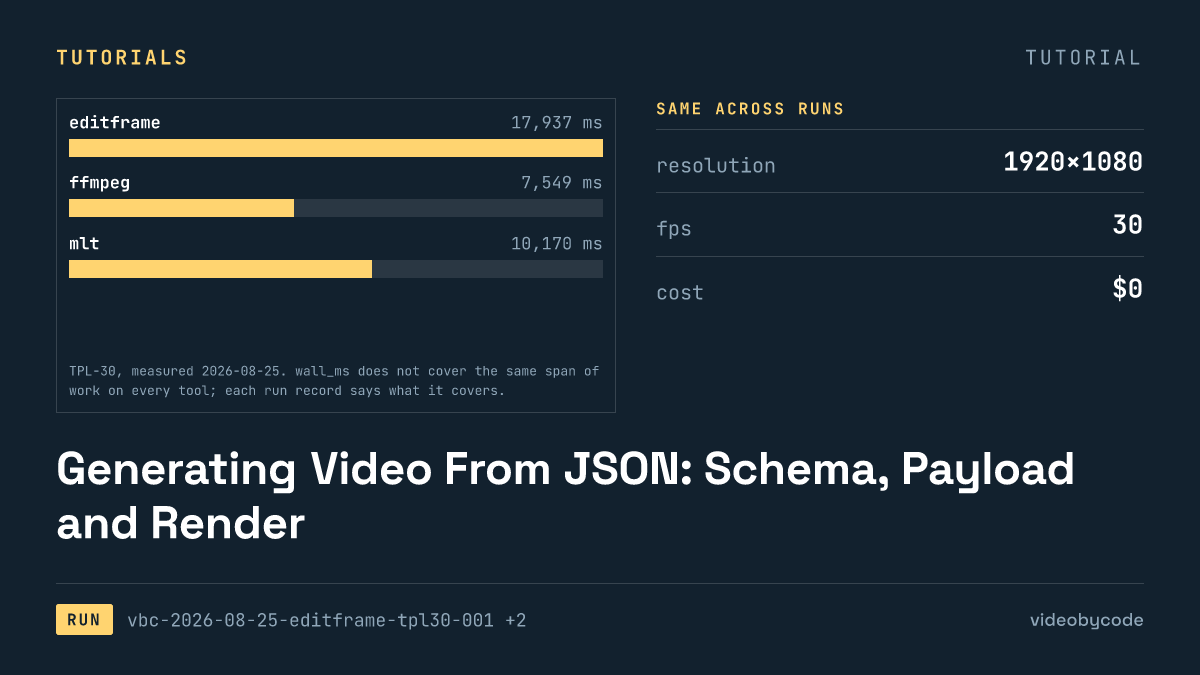
Generating Video From JSON: Schema, Payload and Render
Eight rendering tools ran the same JSON scene payload; this compares what rendered, what failed, and what each tool costs to run in production.
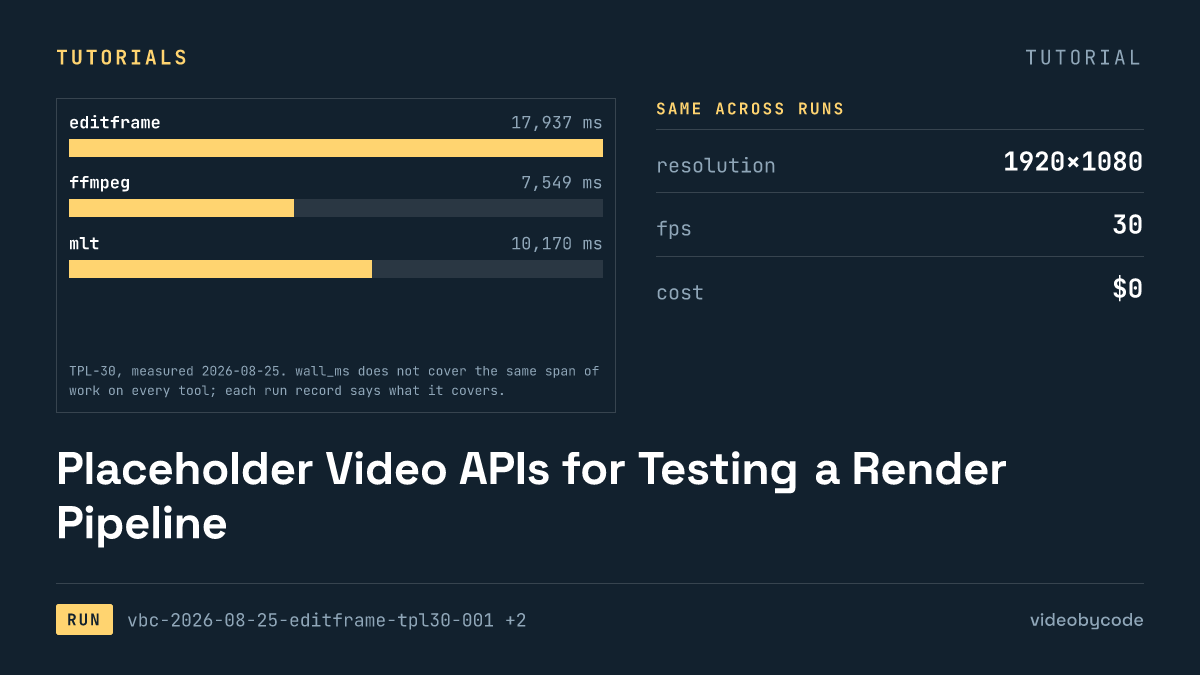
Placeholder Video APIs for Testing a Render Pipeline
Eight video rendering tools run the same TPL-30 payload end to end: one free tier adds a watermark, one fails to import, and none share a cost basis.