How to Create Video With Code: A Working Pipeline End to End
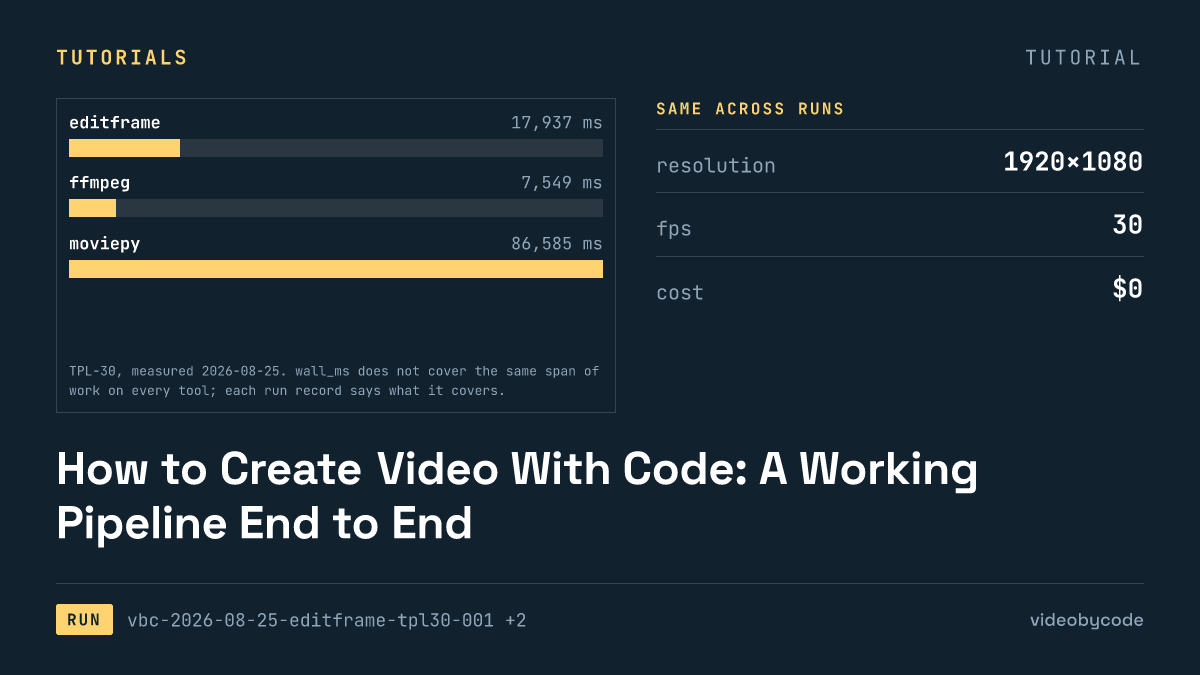
Programmatic video creation needs no account and no API key on this measured path: Editframe's local CLI renders TPL-30 through a browser encoder in 17.9 s, producing a 1.46 MB file, while FFmpeg's bare encode of the same template finishes faster but needs a hand-built filter graph.
The shortest path that works
Programmatic video creation needs no account, no API key and no cloud call on this shortest path: the Editframe CLI builds the video in a local Vite dev server, drives a real Chrome instance through Playwright, and encodes with WebCodecs, entirely on the machine that runs npx editframe. Run vbc-2026-08-25-editframe-tpl30-001 built the TPL-30 template, three scenes, a still image, three pre-rendered text layers and a background track, in 17.9 s and wrote a 1.46 MB file. That span covers the dev server startup, the Chrome launch, 900 frame captures and the encode, not the encode alone.
This is what programmatic video creation looks like when the target is a scene object rather than a script. Nothing about this path needs an ffmpeg filter graph or a Python environment: the scene is a JavaScript object, a background, an image layer, three text layers, an audio track, and the CLI turns it into a file. That is the sense in which this is the shortest path, not the fastest one: a bare ffmpeg invocation of the same template finished faster, at 7.5 s, but it needed a hand-written filter graph with enable expressions gating three scenes on one canvas, and it needed the text pre-rasterised into PNGs before the shell script ever ran, because the ffmpeg build on the measuring machine has no libfreetype and no drawtext filter.
Programmatic video creation is a code-volume question as much as a wall-time question, and for a first render code volume is what decided the shortest path here. The Editframe payload that produced this output is 85 lines. Getting the same frame out of ffmpeg means writing and debugging a filter graph by hand; getting it out of MoviePy means learning a compositing API in Python first. Editframe's cost for this render was $0, on the free tier, with commercial use allowed.
The free tier is not a trial. Editframe's published pricing lists a permanently free plan for companies of three employees or fewer, covering local and browser rendering with commercial use allowed; the paid tiers add cloud execution, not a raise on the free ceiling for local rendering. That distinction matters for a solo developer or a small shop checking whether a rendering tool can sit in a shipped product without a monthly bill: for this benchmark, on this machine, it did.
Versions and prerequisites
Every render below ran on one machine with one exact set of tool versions, and a version-less instruction is not reproducible. The Editframe run used @editframe/cli 0.59.40, @editframe/elements 0.59.40, Vite 8.2.2, Node v25.6.1 and system Google Chrome 152.0.7977.55, the CLI launches the browser that is already installed rather than shipping its own. The ffmpeg run used Homebrew ffmpeg 8.0.1_4 for arm64, built without libfreetype, which is the detail that forces every tool in this comparison onto pre-rasterised text instead of a font-shaping call. MoviePy reported two version strings for the same install: package metadata says dist=2.2.1, the module's own __version__ says 2.1.2, running on Python 3.14.3 with NumPy 2.5.1 and Pillow 11.3.0. Remotion ran on 4.0.507 with @remotion/cli at the same version and Node v25.6.1.
| Tool | Version | Account tier |
|---|---|---|
| Editframe | @editframe/cli 0.59.40 | free |
| FFmpeg | 8.0.1_4 (Homebrew, arm64) | oss |
| MoviePy | 2.2.1 (dist) / 2.1.2 (__version__) | oss |
| Remotion | 4.0.507 | free |
SourceRun records vbc-2026-08-25-editframe-tpl30-001, vbc-2026-08-09-ffmpeg-tpl30-001, vbc-2026-08-09-moviepy-tpl30-001, vbc-2026-08-09-remotion-tpl30-001
None of these are interchangeable drop-ins. Editframe's EF_NO_TELEMETRY=1 environment variable has to be set before the CLI runs, or the process opens a telemetry POST that this benchmark did not want in the loop. MoviePy needs FFMPEG_BINARY pointed at the system ffmpeg explicitly; skip that step and the render falls back to the ffmpeg copy bundled inside imageio-ffmpeg, which is not the binary measured here. Remotion has no equivalent redirect: its CLI bundles its own ffmpeg and there is no flag to swap in the system build, so a Remotion render never runs the exact encoder the ffmpeg and MoviePy rows in this article are running.
Cost at the prerequisite stage is zero across the board, but not for the same reason. FFmpeg and MoviePy carry no licence fee at any volume, $0 and $0 respectively under LGPL/GPL and MIT, because they are self-hosted software with no vendor pricing page to check. Editframe's $0 for this run comes from a published free tier instead, checked 2026-08-09; past that tier the Team plan lists at $49 per month and Cloud at $99 per month plus usage. Remotion publishes no priced plan at all: it is free for individuals and for-profit companies of three or fewer employees, and requires a commercial licence above that headcount, per its own licence file.
The code that produced the output
The Editframe payload that produced run vbc-2026-08-25-editframe-tpl30-001 is 85 lines of JavaScript. It builds three scenes in order, title, body, outro, matching the TPL-30 benchmark definition: a flat background and an accent rule under the title text, a still photograph with a semi-transparent caption bar under the overlay text, and a second flat background under the outro text. Every text layer in the payload is a PNG, not a font call, _assets/text-title.png, _assets/text-overlay.png and _assets/text-outro.png, because the benchmark pre-rasterises text once with _assets/generate.sh so that ffmpeg's missing drawtext filter does not change what each tool is doing relative to the others.
Structurally, the file reads as an ordered list of scene objects, each one naming a background, a duration and an array of layers to composite, closer to a timeline description than to a sequence of imperative draw calls. There is no separate step where scenes get glued together: the CLI reads scene order directly from the array position. Reusing this payload for a different template means replacing the layer list and the asset paths inside that same shape; a developer adapting it for a real project also has to decide separately whether their own text needs to stay pre-rasterised or can call a font directly, since that constraint here comes from the ffmpeg build on the measuring machine, not from Editframe itself.
/**
 * BM-1 (TPL-30) as an Editframe composition.
 *
 * This is the payload, not the runner. tools/editframe/run.mjs drives
 * `editframe render` over this directory, times it, and measures the result.
 *
 * Every layout number is read from ../bm1.json rather than typed here, for the
 * same reason the ffmpeg, MoviePy and Remotion payloads read it: four
 * transcriptions of one benchmark are only comparable if they cannot drift apart.
 *
 * The text is composited from the same pre-rasterised PNGs the other payloads use
 * (bm1.json -> text_rendering), so no web font is loaded and no text shaping
 * happens inside the measured render.
 *
 * Assets resolve through Vite's publicDir, which tools/editframe/vite.config.mjs
 * points at ../_assets — the same directory every other payload reads. A bare
 * filename is therefore served at the site root, exactly as Remotion's
 * --public-dir=../_assets does.
 */

import '@editframe/elements';
import spec from '../bm1.json';

const V = spec.video;
const PAL = spec.palette;

const sceneById = (id) => spec.scenes.find((s) => s.id === id);
const title = sceneById('title');
const body = sceneById('body');
const outro = sceneById('outro');

/** "_assets/text-title.png" -> "/text-title.png" (served from publicDir). */
const asset = (p) => `/${String(p).replace(/^_assets\//, '')}`;

const seconds = (from, to) => `${to - from}s`;

/**
 * An ef-image has no natural duration, so it defaults to 0 and never becomes
 * active. Editframe calls this the editorial choice: a still has to be told how
 * long it is on screen. Each image is given its own scene's length.
 */
const imageDuration = (scene) => seconds(scene.start_s, scene.end_s);

const FILL = 'position:absolute;left:0;top:0;width:100%;height:100%;';
const SCENE = `${FILL}`;

const rule = title.accent_rule;
const bar = body.bar;

document.getElementById('stage').innerHTML = `
  <ef-timegroup
    id="root"
    mode="contain"
    fps="${V.fps}"
    style="position:relative;display:block;width:${V.width}px;height:${V.height}px;background:${PAL.background};overflow:hidden"
  >
    <ef-timegroup mode="sequence" style="${FILL}">

      <!-- Scene 1 — title card -->
      <ef-timegroup mode="fixed" duration="${seconds(title.start_s, title.end_s)}"
        style="${SCENE}background:${title.background};">
        <div style="position:absolute;left:${rule.x}px;top:${rule.y}px;width:${rule.w}px;height:${rule.h}px;background:${rule.color};"></div>
        <ef-image src="${asset(title.text_png)}" duration="${imageDuration(title)}" style="${FILL}object-fit:contain;"></ef-image>
      </ef-timegroup>

      <!-- Scene 2 — still image, caption bar, caption -->
      <ef-timegroup mode="fixed" duration="${seconds(body.start_s, body.end_s)}" style="${SCENE}">
        <ef-image src="${asset(body.image)}" duration="${imageDuration(body)}" style="${FILL}object-fit:${body.image_fit};"></ef-image>
        <div style="position:absolute;left:${bar.x}px;top:${bar.y}px;width:${bar.w}px;height:${bar.h}px;background:${bar.color};opacity:${bar.opacity};"></div>
        <ef-image src="${asset(body.text_png)}" duration="${imageDuration(body)}" style="${FILL}object-fit:contain;"></ef-image>
      </ef-timegroup>

      <!-- Scene 3 — outro -->
      <ef-timegroup mode="fixed" duration="${seconds(outro.start_s, outro.end_s)}"
        style="${SCENE}background:${outro.background};">
        <ef-image src="${asset(outro.text_png)}" duration="${imageDuration(outro)}" style="${FILL}object-fit:contain;"></ef-image>
      </ef-timegroup>

    </ef-timegroup>

    <!-- The music bed is a sibling of the sequence, never a child of it: a
         sequence would treat it as one more beat and double the runtime. -->
    <ef-audio src="${asset(spec.audio.file)}" volume="1" duration="${V.duration_s}s" offset="${spec.audio.start_s}"></ef-audio>
  </ef-timegroup>
`;
Two properties of this file are easy to miss on a first read. First, nothing in it sets a bitrate, a preset or a pixel format: Editframe's composition API takes frame rate, scale and a codec name, and the browser's WebCodecs encoder decides the rest — a team that needs a guaranteed bitrate ceiling for a distribution platform's ingest limits gets no lever for it here, only frame rate and scale. Second, an image layer with no explicit duration is legal syntax that does not do what it looks like it does; the next section covers what that costs.
Encode targets for the benchmark itself sit at 1920×1080, 30 fps, 30 s of H.264 video and AAC audio at 192 / 48000, with a CRF of 20 where a tool exposes CRF at all. Editframe does not expose it; ffmpeg and MoviePy both do, because both sit closer to the encoder.
What the run produced
Every run in this benchmark reports status ok, and not every one lands on the benchmark's exact duration target of 30 s. Editframe wrote 30.080 s and Remotion wrote 30.059 s, both a shade over target; FFmpeg and MoviePy both wrote exactly 30.000 s. Neither browser-driven tool's overshoot is visible without checking it with ffprobe, and both are close enough that most viewers would call it the same video; both come from encoder-side frame rounding rather than from a scene that ran long. That gap matters for a pipeline that hands its output to a system with a hard duration check, an ad-insertion slot or a test that asserts an exact frame count: a consumer expecting precisely 30 s and receiving Editframe's or Remotion's output needs to either trim the last frames after render or accept the overshoot, where ffmpeg's and MoviePy's exact-match outputs need neither.
FFmpeg, the only single-pass shell script in this comparison, finished fastest at 7.5 s. Editframe took 17.9 s, and Remotion took 18.2 s. The two browser-driven tools land closer to each other than either does to ffmpeg. MoviePy took 86.6 s, by far the slowest of the four, because it composites 900 frames in Python and streams raw frames to ffmpeg one at a time rather than describing a filter graph for ffmpeg to run natively. That gap is large enough to change a build decision, not just a benchmark line: a batch job rendering many short clips in sequence pays MoviePy's per-file overhead once per clip, and at 86.6 s against ffmpeg's 7.5 s per file, that overhead compounds across a queue in a way a single one-off render never shows. This benchmark measured four single renders, not a batch run, so the compounding is a mechanism worth planning around rather than a separately measured figure.
Sourcevideobycode verification runs(measured 2026-08-09 (ffmpeg, moviepy, remotion) and 2026-08-25 (editframe))
Output size follows a similar split. FFmpeg wrote the smallest file at 0.99 MB, MoviePy wrote 1.01 MB, Editframe wrote 1.46 MB, and Remotion wrote the largest at 1.50 MB. The difference is not noise: ffmpeg and MoviePy both target CRF 20 explicitly through libx264, while Editframe's WebCodecs encoder and Remotion's bundled encoder each make an independent bitrate decision that this benchmark cannot force to match. A size comparison across these four numbers is a comparison of four different encoder decisions, not of four settings of the same encoder, and it carries a direct storage-and-egress cost for a team billed per gigabyte: Remotion's file against ffmpeg's for the identical template is a real gap in monthly storage even though the two are close to indistinguishable at normal viewing bitrates.
| Tool | Wall time | Output | Duration | Cost |
|---|---|---|---|---|
| Editframe | 17.9 s | 1.46 MB | 30.080 s | $0 |
| FFmpeg | 7.5 s | 0.99 MB | 30.000 s | $0 |
| MoviePy | 86.6 s | 1.01 MB | 30.000 s | $0 |
| Remotion | 18.2 s | 1.50 MB | 30.059 s | $0 |
Sourcevideobycode verification runs vbc-2026-08-25-editframe-tpl30-001, vbc-2026-08-09-ffmpeg-tpl30-001, vbc-2026-08-09-moviepy-tpl30-001, vbc-2026-08-09-remotion-tpl30-001, TPL-30 benchmark
None of these numbers transfer to a production render at a different resolution, frame rate or duration; all four are one 1920×1080, 30 fps render of one 30 s template on one machine. A template with ten scenes instead of three, with motion instead of stills, or with a multi-stem soundtrack changes MoviePy's and Editframe's wall time more than it changes ffmpeg's, because the first two spend time proportional to what they composite while ffmpeg's cost tracks the complexity of its filter graph. Running this same benchmark script against a project's own asset mix, rather than reusing these four figures, is the only way to know which side of that gap a given production template falls on.
What breaks, and how to get past it
Editframe's scene format has one failure mode that produces no error message at all. An ef-image layer with no explicit duration attribute defaults to zero, so the layer is silently never drawn: the render still finishes, reports ok, captures 900 out of 900 frames, and hands back a video that is a black picture where the image should be. Nothing in the CLI's exit code or console output flags this; the only way to catch it is to open the file and look, which is a workflow problem for any pipeline that renders unattended.
Set duration explicitly on every ef-image layer. A missing duration does not throw; it renders 900/900 frames successfully over nothing.
FFmpeg's break is a build-time one rather than a runtime one. The Homebrew ffmpeg on the measuring machine, 8.0.1_4 for arm64, ships without libfreetype, so the drawtext filter this template would normally use for on-screen text does not exist in that binary. The workaround the benchmark uses is to render each text string once as a transparent PNG with _assets/generate.sh, then treat text the same way a still photograph is treated: as an image layer, composited with overlay, gated onto the right span of the canvas with an enable expression instead of a separate concat step.
#!/usr/bin/env bash
# BM-1 (TPL-30) expressed as a single ffmpeg invocation.
#
# This is the payload, not the runner. tools/ffmpeg/run.mjs executes this script,
# times it, and measures the result. Run it directly if you just want the file:
#
#   OUT=/tmp/out.mp4 bash payloads/tpl30/ffmpeg.sh
#
# Every constant below is transcribed from bm1.json. If the two disagree, bm1.json wins.
#
# Structure: one 30 s background canvas with the three scenes switched on and off by
# `enable` expressions, rather than three encodes plus a concat. Single-pass keeps the
# measured time to one encode, which is what the benchmark is asking about.

set -euo pipefail

HERE="$(cd "$(dirname "$0")" && pwd)"
ASSETS="${ASSETS:-${HERE}/_assets}"
OUT="${OUT:-${HERE}/out.mp4}"
FFMPEG="${FFMPEG:-ffmpeg}"

"${FFMPEG}" -hide_banner -nostdin -y -loglevel warning \
  -f lavfi -i "color=c=0x0B1220:s=1920x1080:r=30:d=30" \
  -loop 1 -i "${ASSETS}/still-1920x1080.jpg" \
  -loop 1 -i "${ASSETS}/text-title.png" \
  -loop 1 -i "${ASSETS}/text-overlay.png" \
  -loop 1 -i "${ASSETS}/text-outro.png" \
  -i "${ASSETS}/bgm-30s.wav" \
  -filter_complex "\
[1:v]scale=1920:1080:force_original_aspect_ratio=increase,crop=1920:1080[img];\
[0:v][img]overlay=0:0:enable='gte(t,5)*lt(t,25)'[v1];\
[v1]drawbox=x=0:y=820:w=1920:h=160:[email protected]:t=fill:enable='gte(t,5)*lt(t,25)'[v2];\
[v2]drawbox=x=760:y=700:w=400:h=6:color=0x38BDF8:t=fill:enable='lt(t,5)'[v3];\
[v3][2:v]overlay=0:0:enable='lt(t,5)'[v4];\
[v4][3:v]overlay=0:0:enable='gte(t,5)*lt(t,25)'[v5];\
[v5][4:v]overlay=0:0:enable='gte(t,25)'[vout]" \
  -map "[vout]" -map 5:a \
  -c:v libx264 -preset medium -crf 20 -pix_fmt yuv420p -r 30 \
  -c:a aac -b:a 192k -ar 48000 -ac 2 \
  -movflags +faststart \
  -t 30 \
  "${OUT}"
That workaround changes what render time measures. Because every tool in this comparison composites the same pre-rasterised PNGs, none of the four wall-clock numbers in the previous section include font shaping, glyph rasterisation or text layout. A build of ffmpeg with libfreetype compiled in, or a renderer that shapes text at draw time, would spend time here that these runs do not. A pipeline that needs live text (a name pulled from a database at render time, for instance) is not measured by this benchmark and should not assume these numbers transfer.
A single line of configuration decides whether MoviePy's run in this article is comparable to the bare ffmpeg run at all: setting FFMPEG_BINARY to the system ffmpeg path before composing anything is what makes both runs use the same encoder build. Skip that line and MoviePy falls back to the ffmpeg copy bundled inside imageio-ffmpeg, a different binary that this benchmark never measured. A MoviePy render that looks identical in code can produce a different file size and a different wall time depending on which of those two binaries is actually doing the encoding.
Remotion offers no equivalent switch. Its CLI bundles its own ffmpeg for the final encode step, and unlike MoviePy there is no environment variable or config option that redirects it to the system binary. That means the 18.2 s figure for Remotion, like Editframe's 17.9 s, covers a bundle step, a headless Chromium launch and 900 frame captures ahead of the encode. Comparing either number to the bare ffmpeg script's 7.5 s as if they measured the same operation overstates what a bare-metal ffmpeg pipeline would cost in a project that also needs a browser-rendered layout engine.
Building this yourself starts with cloning the Editframe template payload measured here and running npx editframe locally, since that path needs no account and no filter graph. The free tier caps output length and resolution, and hitting that ceiling is the first thing that breaks; the CLI logging names the limit directly, and raising it means creating an Editframe account. Anyone comparing wall clock against the ffmpeg path instead should expect to write the filter graph by hand and pre-rasterise text with a tool like Pillow before the shell script runs, since the measuring machine's ffmpeg build lacks a drawtext filter.
What we didn't test
- Failure states are absent from the record: every run reported status ok, so none of this describes how a tool behaves when a render fails or how cleanly it can be retried.
- Concatenating multiple source clips, live narration audio, and database-driven text fields fall outside the benchmark's scope, since its audio is a fixed track and its on-screen text was pre-rasterised rather than drawn at render time.
- A different CPU, ffmpeg build, or Chrome version would produce different wall-clock results, and a machine other than the one used here should expect its own numbers rather than a match.
- GPU-accelerated encoding, multi-worker or parallel rendering, and cost at a volume beyond a single file sit outside what this benchmark checked.
- Each tool was measured with a single run, so run-to-run variance in wall time or output size was not captured, and a pixel-level comparison across the output files was not performed.
Questions people ask
How long did the TPL-30 render take, and on what machine?
The FFmpeg run finished in 7.5 s, the fastest of the four tools measured, and Editframe's browser-driven render finished in 17.9 s. Both ran on the same machine, with Homebrew ffmpeg 8.0.1_4 for arm64, Node v25.6.1, and Editframe's Chrome build at 152.0.7977.55.
What does Editframe's free tier cover, and where does it stop?
It covers exactly what this benchmark measured: local rendering, browser-based encoding, and commercial use for companies of three employees or fewer, at a cost of $0. It stops at cloud rendering and job queueing, which move to the paid Team plan at $49 per month or the Cloud plan at $99 per month plus usage.
What does "programmatic video generation" actually mean, compared to a timeline editor?
It means describing a video as code, scenes, layers and durations in JSON or a script, and having a tool render that description into a file without dragging clips on a timeline. The four tools here represent four approaches to that: a browser-based composition API (Editframe), a filter-graph encoder (FFmpeg), a Python compositing library (MoviePy), and a React-based frame renderer (Remotion).
References
Ref Editframe Pricing (checked 2026-08-09)
Ref FFmpeg Legal (checked 2026-08-09)
Ref MoviePy (GitHub) (checked 2026-08-09)
Ref Remotion License (checked 2026-08-09)
Related articles
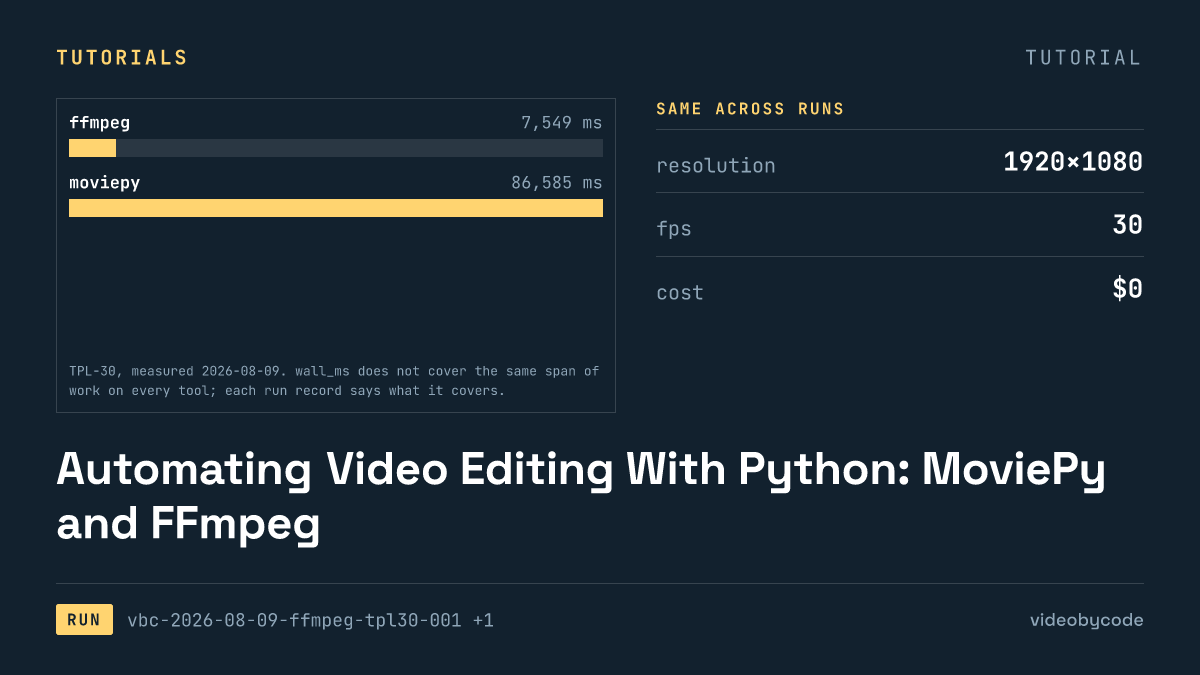
Automating Video Editing With Python: MoviePy and FFmpeg
FFmpeg and MoviePy render the same 1920×1080 TPL-30 template; the code, exact versions, and measured render time and output size are given below.
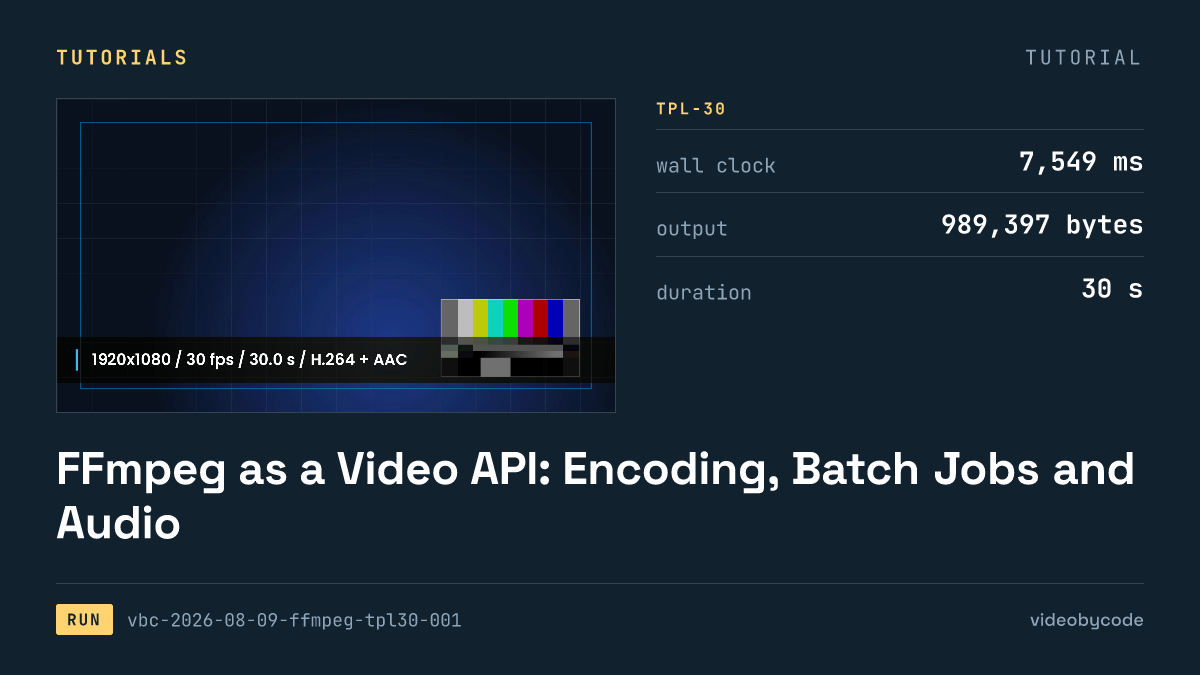
FFmpeg as a Video API: Encoding, Batch Jobs and Audio
FFmpeg's TPL-30 benchmark shows the exact script, versions and encode settings behind a scripted H.264 render, plus where drawtext and concat filters break.
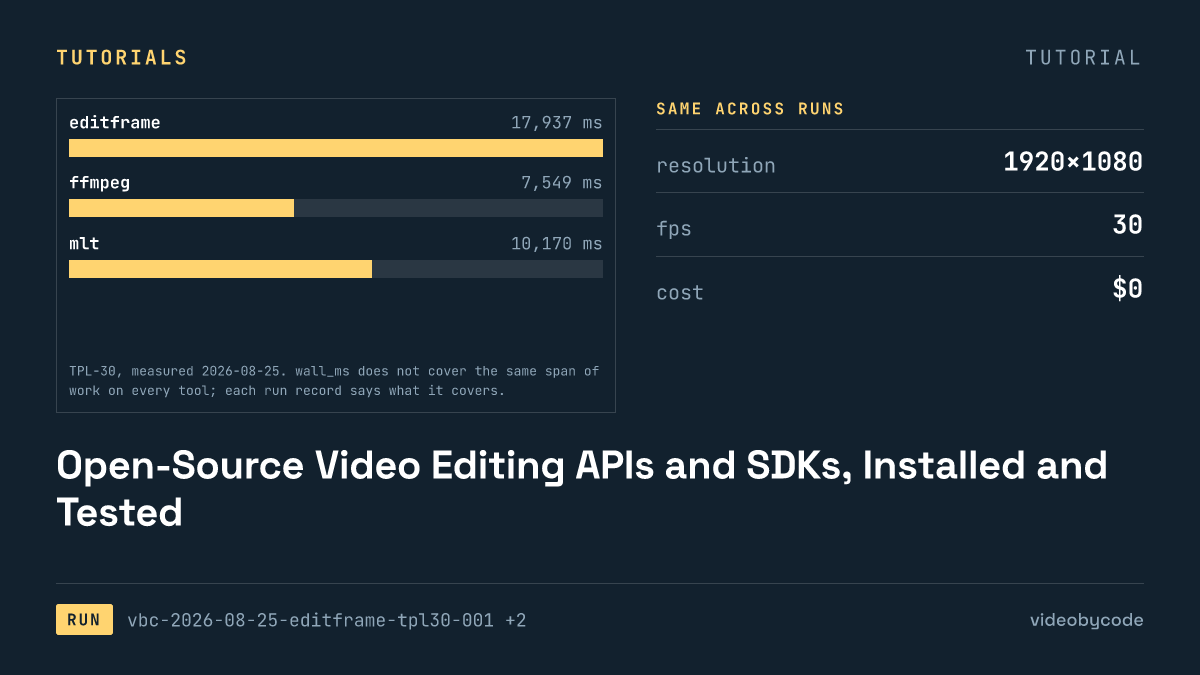
Open-Source Video Editing APIs and SDKs, Installed and Tested
The test installed eight video editing APIs and SDKs, seven of them open source, and rendered each against one fixed benchmark, logging wall time and file size.
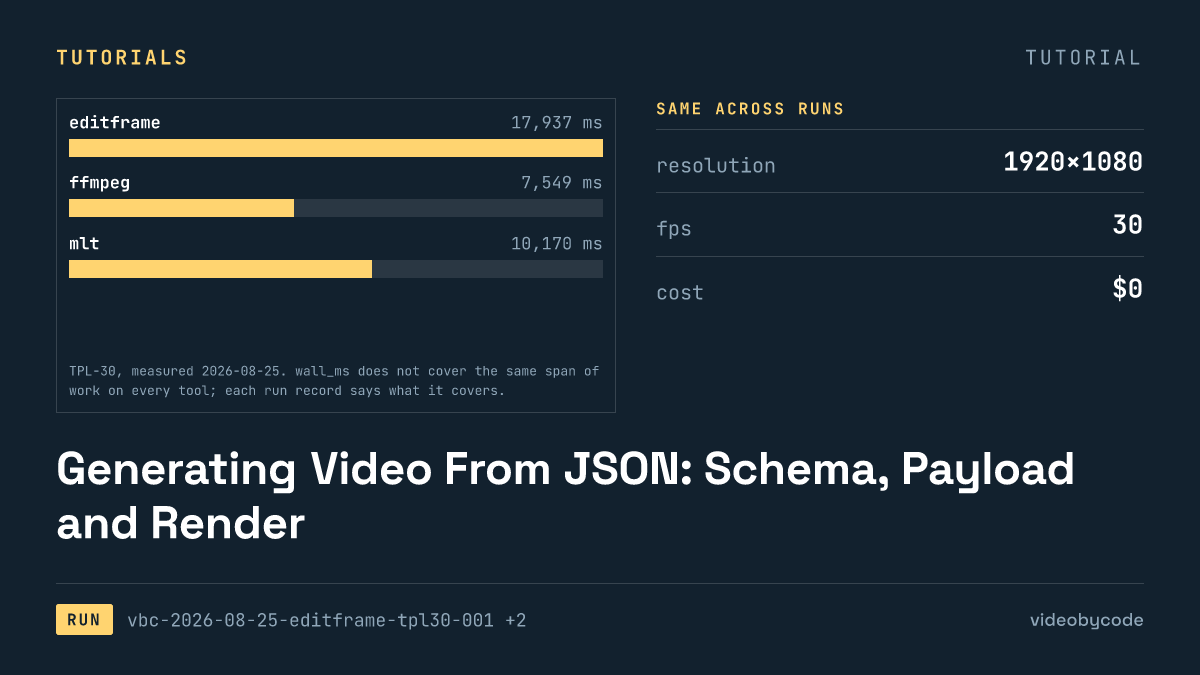
Generating Video From JSON: Schema, Payload and Render
Eight rendering tools ran the same JSON scene payload; this compares what rendered, what failed, and what each tool costs to run in production.
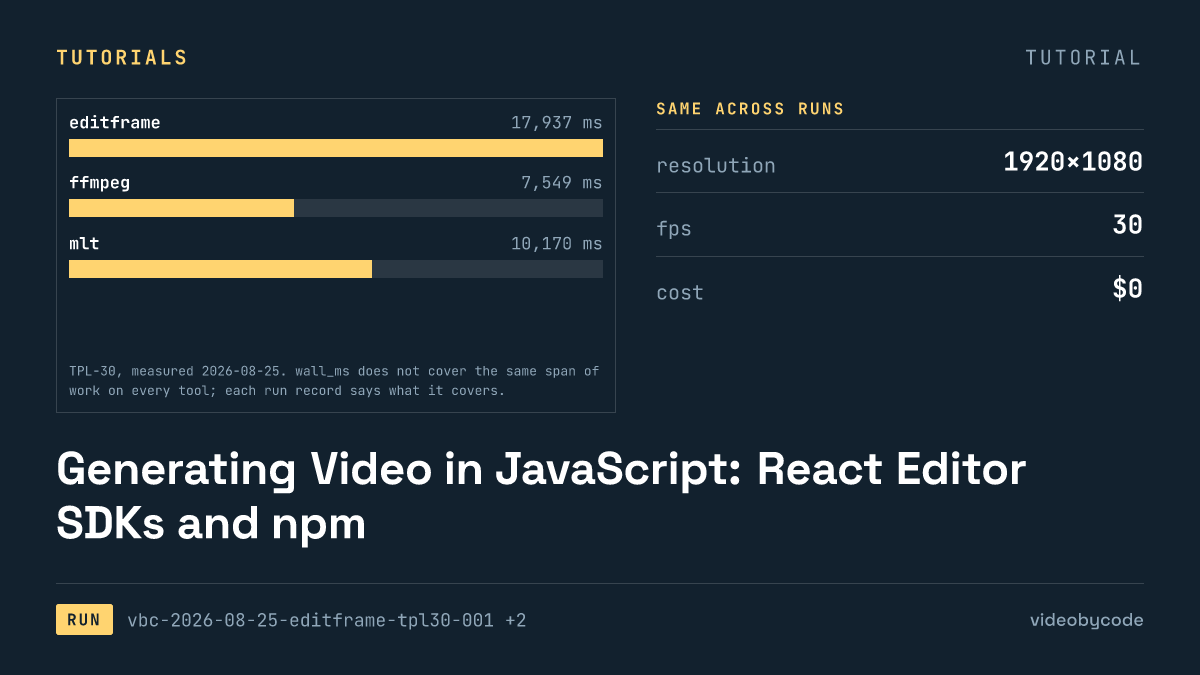
Generating Video in JavaScript: React Editor SDKs and npm
Editframe, Remotion, and Revideo rendered the same Node.js video benchmark; Diffusion Studio Core watermarked its output and Editly failed to import.
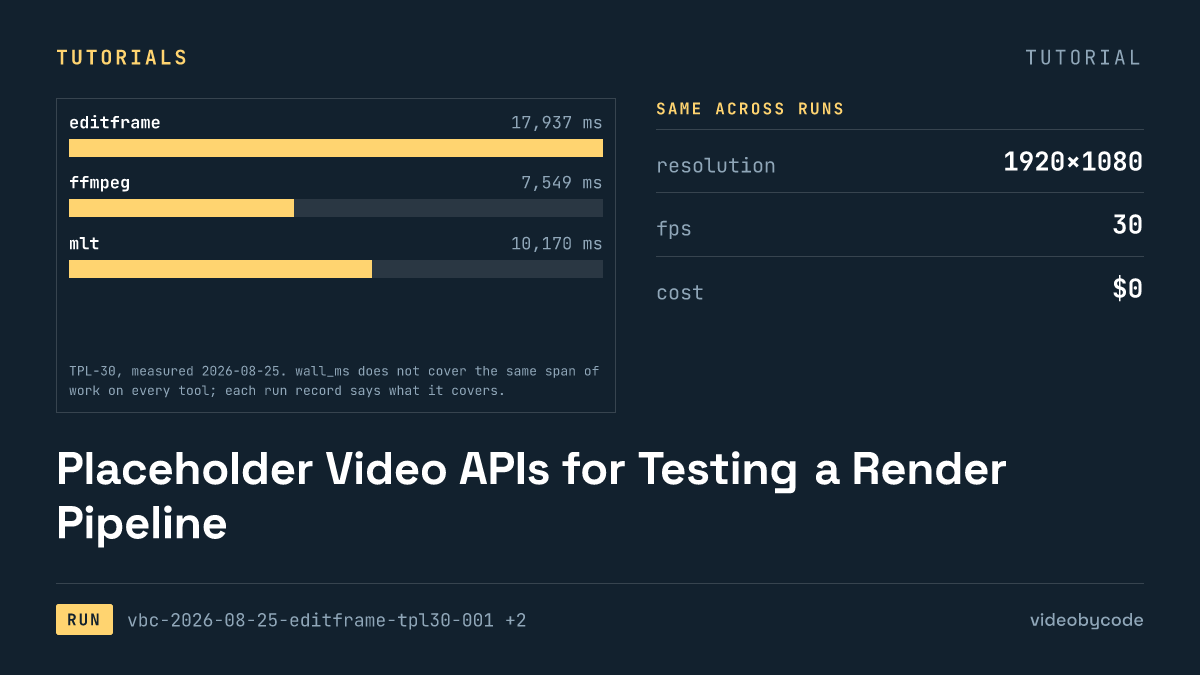
Placeholder Video APIs for Testing a Render Pipeline
Eight video rendering tools run the same TPL-30 payload end to end: one free tier adds a watermark, one fails to import, and none share a cost basis.